1
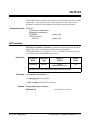
OUTPut1
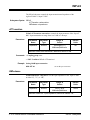
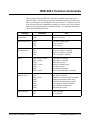
The OUTPut1 subsystem controls the characteristics of the Agilent E1446A’s “Main
Output” BNC. The subsystem sets the output attenuation, sets the output source
impedance, monitors overload conditions, and enables or disables the output.
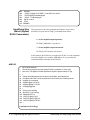
Subsystem Syntax OUTPut1
:ATTenuation <attenuation>
:IMPedance <impedance>
:OVERload?
[:STATe] <mode>
:ACTual?
[query only]
[query only]
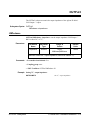
:ATTenuation
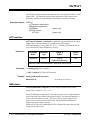
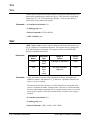
OUTPut1:ATTenuation <attenuation> controls the output attenuator of the “Main
Output” BNC. Either no attenuation or 20 dB may be selected when
OUTPut1:IMPedance is set to either 50Ω or 75Ω. OUTPut1:ATTenuation must be
set to 0 dB when OUTPut1:IMPedance is set to 0Ω.
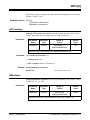
Parameters
Parameter
Name
Parameter
Type
Range of
Values
Default
Units
impedance
numeric
0|20.0|
MINimum|MAXimum
dB
MINimum selects 0 dB attenuation; MAXimum selects 20 dB.
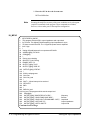
Comments • Coupling group: Power amplifier
• *RST Condition: OUTPut1:ATTenuation 0
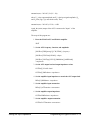
Example Setting 20 dB output attenuation
OUTP1:ATT 20
Set 20 dB output attenuation
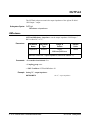
:IMPedance
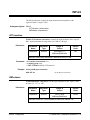
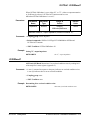
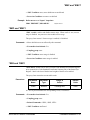
OUTPut1:IMPedance <impedance> sets the output impedance of the “Main
Output” BNC to either 0Ω, 50Ω, or 75Ω.
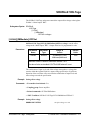
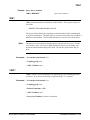
OUTPut1:IMPedance 0 should be selected when an open-circuit or high-impedance
load is connected to the output of the Agilent E1446A. The matching impedance is
removed from the amplifier output. Also, the OUTPUT1 offset voltage into an
open-circuit is twice that into a matched load. Setting OUTPut1:IMPedance 0
compensates for this effect so that the
SOURce:VOLTage:LEVel:IMMediate:OFFSet command will output the specified
voltage into an open circuit.
3-12 E1446/E1405/06 Command Reference
OUTPut1 Subsystem