1
Chapter 2: Using FDR
15
Deterministic
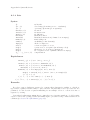
This command tests to determine if the process is deterministic; i.e., if the set of
actions possible at any stage is always uniquely determined by the previous history
of visible actions. A process will fail to be deterministic in this CSP sense if either
it can diverge (livelock), or if it is possible for a given action to be allowed after
a given trace of visible events and also possible that it could be refused after the
same trace. In this latter case, the debugger will present two behaviours of the same
process as a counterexample; one leading to the possible event, and one leading to
its refusal.
Graph
This option is currently experimental and available only if the environment variable FDRGRAPH is set. It produces a graph of the selected process which can be
manipulated (states can be rearranged) and printed.
2.6 The Tab Pane
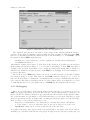
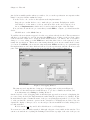
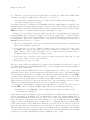
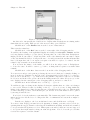
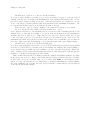
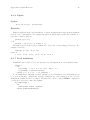
The middle portion of the FDR main window allows the user to assemble and check properties
of processes defined by the model without adding explicit assertions to the file2 .
For each possible check, it consists of a number of components: selectors allowing processes
to be chosen; a selector for the CSP refinement relation (i.e., the semantic model used), and a
set of buttons for managing these assertions.
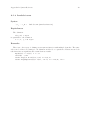
The process selectors operate identically: each consists of a title and three elements: a
selection button (the arrow symbol), a text field and a pull-down list. Each of these may be
used to modify the process definition displayed in the text field:
• Clicking on the selection button (the arrow symbol) causes the text entry to be set to the
process, if any, currently selected in the process list described in the previous section.
• Clicking on the text field enables standard text editing keys to be used to enter or modify
the text.
• Clicking on the pull-down button and selecting a process from the list which is then displayed
causes the text entry to be set to that value.
Additionally, these the text entries can be emptied by clicking the Clear button at the bottom
of the process selector.
The semantic model to be used for a check can be changed by clicking Mouse-1 on the Model
button of the tab pane; FDR2 will display a list of alternative models which can be selected with
Mouse-1. The choice of models may be constrained by the check under construction: deadlock
and determinism checks cannot be performed in the traces model, and divergence checks must
be performed in the failures-divergences model.
Three command buttons complete the tab pane. These allow checks to be recorded and
tested as follows:
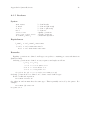
Check
The check is added to the assertion list and immediately run.
Add
This causes a check to be added to the assertion list as above, but the check is not
immediately started; it may be run later using any of the mechanisms described
above (see Section 2.4 [The Assertion List], page 13).
Clear
Clicking this button clears any process selectors, ready for a new definition to be
selected or typed.
2
It thus provides the same user interface function as the FDR1 interface.