1
Embedded Linux
last script to run and that it may not return to the caller. Here's the set of commands:
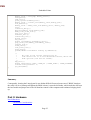
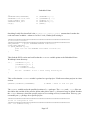
cat > opt/minicom/etc/rc/S99minicom
#!/bin/sh
echo "Press a key for minicom..."
read x
minicom -s
Press Ctrl+D here.
We use the -s option so Minicom will go directly into setup mode. It defaults to COM2; change that
setting if necessary.
In a real device, you would create a minicom configuration file and let it start directly.You also
wouldn't force the user to press a key to start, but this way you can see any bootup error messages
before Minicom erases them.
22. Now make the script executable:
chmod a+x opt/minicom/etc/rc/S99minicom
23. Create the terminfo for the console. This file contains the definitions of escape sequences for the
console for operations such as clearing the screen and drawing lines:
cp -P /usr/share/terminfo/l/linux opt/minicom
24. Run the elw command:
elw
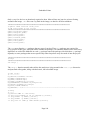
25. Choose the Build Binaries option to build the binaries. Unless you take the time to download all the
source files for the Embedded Linux Workshop, most of the binaries will fail to build. That's okay;
the binaries that ship will work. You must rerun this option each time you make a change.
26. Choose the Build Image option to build the Linux files and image.
27. Insert a blank, formatted floppy into your 3½-inch drive and choose the Build Floppy option to
build the bootable floppy.
28. When the build is complete, move the floppy from your build machine to the test machine and boot
it. If all goes well, you'll get the following message:
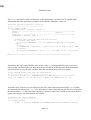
Press a key for minicom...
29. Pressing a key should start the Minicom program. If you connect a serial modem to your serial port,
you should be able to dial out.You may get a couple of errors during the boot process—one about
Page 103