1
Device Initialization User Manual
User Interface
2.3. Code Generation Options Dialog Box
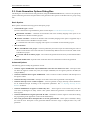
This dialog box is invoked at each code generation (using the Generate Code button). The user can specify the
options influencing the format and placement of the generated code. Options are divided into two groups using
tabs.
Basic Options
Basic options include the following options and option groups:
• Generated file types available:
(For more information on generated files, please see the chapter 3.2 Code Generation And Usage)
Relocatable Assembler - Generates the relocatable code in the assembly language. This option is not
available for the absolute assembly projects.
Absolute Assembler - Generates an absolute code in assembly language. This option is supported only if
it was selected in the CodeWarrior Project wizard.
C - Generates the code in the C language. This option is not available for the assembly projects.
• After Generation
Save and add files to the project - The files produced by Processor Expert are named using the value of
the Generated Module Name field. The files are automatically added to the Generated Code folder of the
Code Warrior project.
Create file and do not add to project - The code will be generated into the newly created untitled editor
files.
• Generated module name - Specifies name of the files where the initialization code will be generated.
Advanced Options
The following options modify the generation of code:
• Generate register modification only if initialization value does not match reset state - This option does
not affect the registers writable only once (for example CONFIGx) nor the registers placed in FLASH (for
example MORx).
• Generate comments about register modification - Source code will contain comments with descriptions of
the registers values.
• Generate interrupt vector table - Interrupt vector table content will be generated to the output file.
• Generate interrupt service routine templates - Tool will generate an empty interrupt routines definitions
for all enabled interrupts according to the components parameters. See 3.3 Defining Interrupt Service
Routines for details.
• Generate initialization of registers writable only once - These registers can be written only once after
reset due to technological or safety reasons. This options enables the generation of initialization code for
these registers.
• Generate initialization of register placed in FLASH - Initialization of these registers will be done during
the programming of the application code to the FLASH memory.
• After code generation show description how to use the generated files - If this option is enabled, a dialog
box with the short description of the generated modules and their usage is displayed after every code
generation.
- 12 -