1
V. Program PixiePlus cont’d
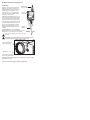
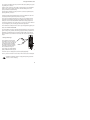
5. To program a button with a single code: While the PixiePlus is in learning
mode, press the button to be programmed to arm it. It should beep once and slowly
blink.
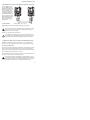
If the button beeps loudly as soon as you press it, check if the Status LED is
solidly lit. If it is, there may be too much light in the room. Reduce the ambient light level or shade the PixiePlus and try again.
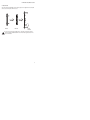
Hold the remote control in the sweet spot you found in step 3. Press and hold the
button on the remote for about a second. The status LED should flicker, indicating
that the code is being received. The PixiePlus will beep three times quickly to indicate successful learning.
You may press a different button for learning at any time, including buttons that
have already been programmed. If you press a button that is already armed for
learning a second time, it will be disarmed.
If the PixiePlus learns the code the button will begin flashing rapidly in VERIFICATION MODE. Go to Step 7, Verify Learned Keys.
6. To program a button with multiple codes for macro or round robin commands: Put the PixiePlus in learning mode. Quickly press the button you wish to
program one time for each code you want it to learn. The PixiePlus will beep once
for each code it expects to learn.
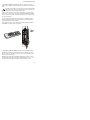
Example: If you wish to program a SOURCE button with three codes, set the PixiePlus to learning mode and quickly press the SOURCE button three times. The
PixiePlus will beep three times to indicate it is ready to learn three codes.
11