1
VI. Configuring Special Features cont’d
If more than six keys are entered, the PixiePlus will beep and reset to the previously
configured code.
4. After the new Security Keylock has been reconfigured, its new settings must be
confirmed. If you do not follow this sequence to store the new settings, any changes
you make will be discarded when you leave Security Keylock configuration mode.
To confirm the new settings, press POWER ON and hold it down until the PixiePlus
beeps three times.
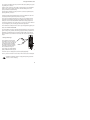
5. After the new code is set and confirmed, carefully remove the paper clip as usual
to return to normal operation.
If the Security Keycode is forgotten, you can retrieve it by putting the PixiePlus back in Security Keycode configuration mode – it will then display
the currently-configured code.
3. Configure PixiePlus Audio Feedback
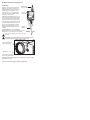
By default, the PixiePlus clicks when a button is pressed. To mute, press and hold
any button while inserting a paper clip into the programming aperture. The PixiePlus
will beep quickly three times to indicate that AUDIO has been set to OFF.
VII. Cloning
Any PixiePlus may quickly and easily copy all the codes from any other PixiePlus.
The PixiePlus cannot clone a Pixie.
In cloning there is a donor unit and a recipient unit. The donor unit must already be
programmed with the appropriate codes (see Section V). The recipient will copy the
donor unit’s codes.
Both units must have the same button insert types, though they may be of different
colors.
Both units must be powered. The donor unit should be installed before beginning.
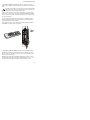
To power the recipient you may wish to temporarily daisy-chain power from
the terminal block of the donor unit with a short length of cable
17