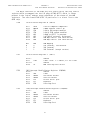
1
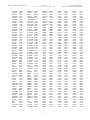
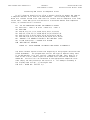
SUPER EXTENDED BASIC UNRAVELLED II
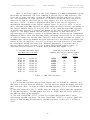
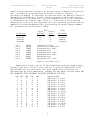
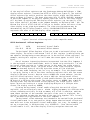
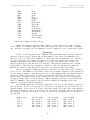
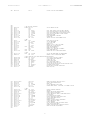
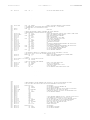
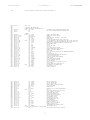
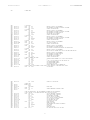
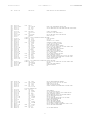
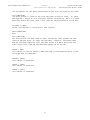
0001
0010
0011
0100
0101
0110
0111
1000
1001
1010
1011
1100
1101
1110
1111
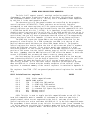
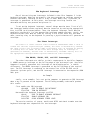
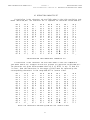
COLORS AND PALETTES
ORIGIN: SPECTRAL ASSOC
REVISED:12/26/99 WALTER K ZYDHEK
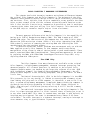
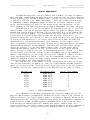
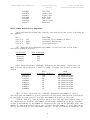
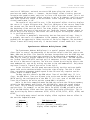
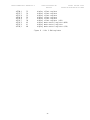
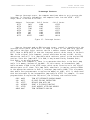
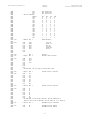
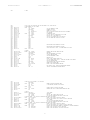
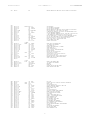
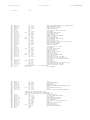
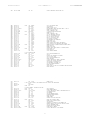
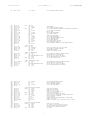
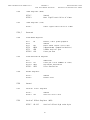
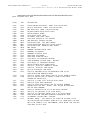
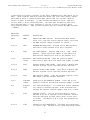
Blue
Green
Cyan
Red
Magenta
Brown
Blue-Green
Sky-Blue
Peacock
Cyan-Green
Red-Magenta
Red-Orange
Orange
Yellow—Green
Blue-Purple
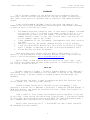
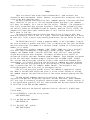
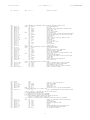
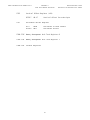
Figure 10 - Composite Base Colors
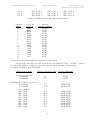
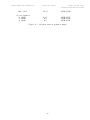
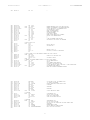
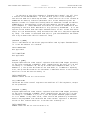
Composite intensity values range from 0-3, and occupy bits 4 and 5 of the
color value. For example, $04 sets the color dark red, $14 is red, $24 is medium
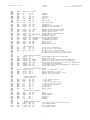
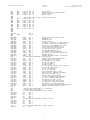
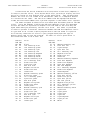
red, and $34 is bright red. See appendix D for a complete list of available colors.
Palettes
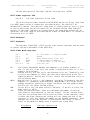
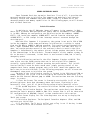
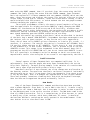
Colors in the original Color Computers were determined by storing a specific
pattern of bits (pixel) within the screen memory. This pixel corresponded to a
specific color. In the Color Computer 3, the pixel now corresponds to a “palette”,
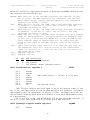
or color register (see Figure 12). When it is time to display the screen, the
computer determines the palette number of a pixel, and then looks inside the
palette register to get the color to display. The palette registers are located
from $FFB0 - $FFBF and are read/write registers, but the top two bits must be
masked off after a read operation since only six bits contain valid data.
This is a dramatic change and offers a flexibility that didn’t exist before.
First of all, the number of available colors as no longer limited to the resolution
of the screen. However, even more exciting is what happens when you change palette
registers. When a new value is stored in a palette register, say palette 1, all
pixels that correspond to palette 1 change colors. This allows you to change the
colors on large areas of the screen by simply changing one byte (or executing one
PALETTE command). The possibilities with this method of changing colors are
immense, including limited animation.
Even though there are 16 palette registers, not all of the palette registers
may be active. For all 16 registers to be active, you must be in a 16-color hi-res
graphics mode. It you are in a hi-res four-color mode, only the first four palette
registers are active and if you are in a hi-res two-color mode, then only the first
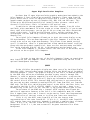
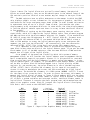
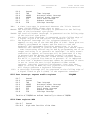
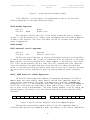
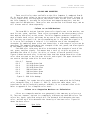
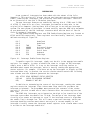
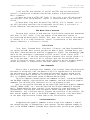
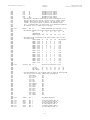
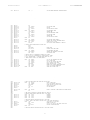
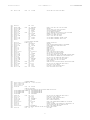
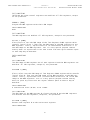
two palette registers are active. Figure 11 shows the configuration of the pixels
in the byte.
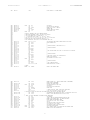
Graphic byte
Bit 7
Bit 6
Bit 5
Bit 4
Bit 3
16-color mode
PA3, pixel 1
PA2, pixel 1
PA1, pixel 1
PA0, pixel 1
PA3, pixel 2
4-color mode
PA1, pixel 1
PA0, pixel 1
PA1, pixel 2
PA0, pixel 2
PA1, pixel 3
24
2-color mode
PA0, pixel 1
PA0, pixel 2
PA0, pixel 3
PA0, pixel 4
PA0, pixel 5