1
Frequency of Sample Collection
Samples are sets of data collected over specific periods of time while an application
is running.
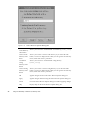
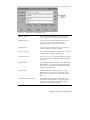
You can specify the frequency of sample collection by moving the Collect Profile data
slider to the desired number of samples per second. Both data accuracy and
collection overhead increase as the number of samples collected per second increases.
Collecting Data
To collect performance data:
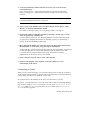
1. From the Debugging window, disable runtime checking and choose Windows >
Sampling Collector to open the Sampling Collector.
2. In the Experiment File text box, type the complete path name for the
experiment file to be created.
3. Using the Collect Data radio buttons, select whether you want to collect data
for one run only or for all runs.
If you select for one run only, the Sampling Collector turns off after an
experiment is created. If for all runs is selected, the Sampling Collector remains
turned on even after the experiment is created.
4. Load the program into the Debugging window and run it by clicking either
Start or Go.
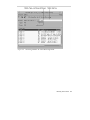
Analyzing Performance Data
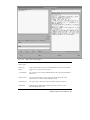
After you collect performance data with the Sampling Collector, you can view it only
through the Sampling Analyzer, a separate tool available from the Sun WorkShop
main window or by choosing Collect > Analyze in the Sampling Collector window.
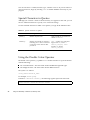
The three types of data you can collect with the Sampling Collector separate into
nine types of data available to analyze; each of these nine types of data has one or
two Analyzer display options associated with it.
116
Using Sun WorkShop ♦ Revision A, February 1999