1
g7 Absolute Gravity Data Acquisition and Processing Software
•
•
•
•
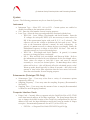
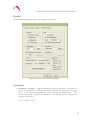
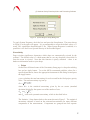
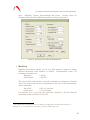
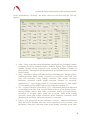
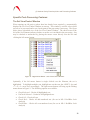
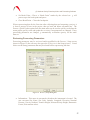
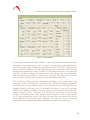
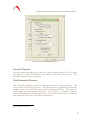
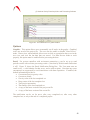
System – This menu allows the user to enter Instrument Type, Model Serial
Number, Interferometer Type, Laser Type (and wavelengths if applicable),
Seismometer data collection enabled (if applicable, FGL Series instruments only),
Analog to Digital data acquisition card and setup, Serial Barometer setup. The
Advanced parameters may also be changed.
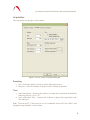
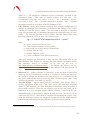
Acquisition – These parameters may not be changed in post-processing.
Control – All parameters may be changed with the exception of the laser lock
(WEO) or alternate (ML1) functions.
Comments
Output File Status
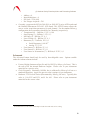
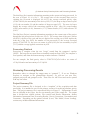
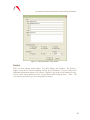
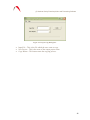
After starting to reprocess data, g will prompt the user whether or not to overwrite the
current existing Project and Set summary files. g creates two output ASCII text files by
default, the Project Summary and Set Summary File. By default, the files are named
<project name>.project.txt and <project name>.set.txt. In some cases, users will want to
change the names of the output files to preserve prior processing results. For details of
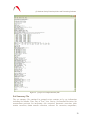
the ASCII output file structure and contents, see Appendix (2) – ASCII Output Files.
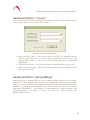
Let’s select “No” and enter our own default base name, “goutput1”. By default then, g
will create two ASCII text files, goutput1.project.txt and goutput1.set.txt. After pressing
the “OK” button, g will begin processing the data.
Selecting “Yes” would simply overwrite the <project name>.project.txt and <project
name>.set.txt files.
Processing Status
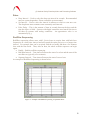
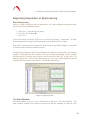
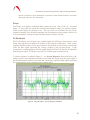
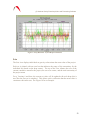
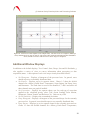
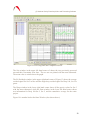
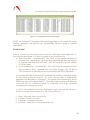
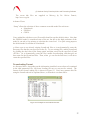
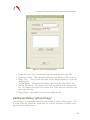
With the default windows displayed, State, Drops, Sets and Fit Residuals, the user is able
to quickly evaluate the status of data processing. In the figures below, we have set a
break point at Set 3 to pause the processing. The screen in Figure 13 is captured
immediately following the last processed drop of Set 2.
28