1
NAURTECH TERMINAL EMULATION & DATA COLLECTION W EB BROWSER FOR W INDOWS CE / W INDOWS MOBILE
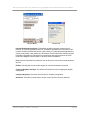
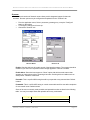
NOTE: Except in special cases, only fixed pitch true type fonts will be visible in
this dropdown list. If VT emulation has proportional fonts enabled, then you will
also see proportional fonts
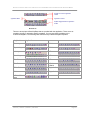
The font weight selects the boldness level used to display the terminal text. The following
shows the selectable options.
Default
Thin
Light
Normal
Medium
Bold
Xbold
Heavy
NOTE: The appearance of these weights is dependant on the selected font and
the device. In some cases, only 2 or 3 different weights can be seen.
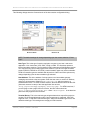
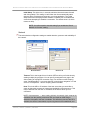
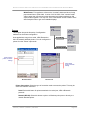
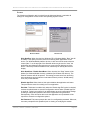
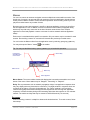
Scroll Bars: This group of attributes configures hide and show settings for the horizontal
and vertical scroll bars.
Hide Vertical: Checking this box will hide the vertical scroll bar. Pressing the
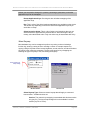
hotkey [Ctrl][Shift][V] or the toolbar button
will alternate between the
hide and visible states.
Hide Horiz : Checking this box will hide the horizontal scroll bar. Pressing the
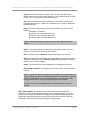
hotkey [Ctrl][Shift][H] or the toolbar button
will alternate between the
hide and visible states.
NOTE: For HTML sessions, the visibility of scroll bars may be overridden by the
HTML page contents. Also, changes to these settings may not take effect until
the next page is loaded.
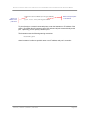
Beep Sound: This is an optional beep sound configuration. It controls the sound of the
standard terminal bell or beep. For devices that support .wav files, you can enter any
.wav file available in the standard sound locations on the device. For devices that
support tone generators, you can specify a custom tone. The custom tone has the
following format:
vvFFFttt or vvFFFtttvvFFFttt or vvFFFtttvvFFFtttvvFFFttt, etc.
where
vv
Volume
FFF
Frequency
ttt
Time
CETerm | CE3270 | CE5250 | CEVT220
is the volume of the beep. The range is 00-10 where 0 is
off and 10 is loudest.
is frequency in 10 Hertz units. A value of 200 is 2000
Hertz, 300 is 3000 Hertz.
is the length of the beep in 10ms units. A value of 050 is
Page 45