1
Chapter 25: Maintaining Large Programs
280
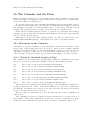
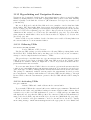
Like most commands that can switch buffers, find-tag has a variant that displays the
new buffer in another window, and one that makes a new frame for it. The former is C-x 4 .,
which invokes the command find-tag-other-window. The latter is C-x 5 ., which invokes
find-tag-other-frame.
To move back to places you’ve found tags recently, use C-u - M-.; more generally, M-.
with a negative numeric argument. This command can take you to another buffer. C-x 4 .
with a negative argument finds the previous tag location in another window.
As well as going back to places you’ve found tags recently, you can go back to places
from where you found them. Use M-*, which invokes the command pop-tag-mark, for this.
Typically you would find and study the definition of something with M-. and then return
to where you were with M-*.
Both C-u - M-. and M-* allow you to retrace your steps to a depth determined by the
variable find-tag-marker-ring-length.
The command C-M-. (find-tag-regexp) visits the tags that match a specified regular
expression. It is just like M-. except that it does regexp matching instead of substring
matching.
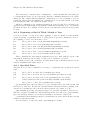
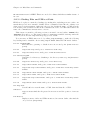
25.3.6 Searching and Replacing with Tags Tables
The commands in this section visit and search all the files listed in the selected tags table,
one by one. For these commands, the tags table serves only to specify a sequence of files
to search. These commands scan the list of tags tables starting with the first tags table (if
any) that describes the current file, proceed from there to the end of the list, and then scan
from the beginning of the list until they have covered all the tables in the list.
M-x tags-search RET regexp RET
Search for regexp through the files in the selected tags table.
M-x tags-query-replace RET regexp RET replacement RET
Perform a query-replace-regexp on each file in the selected tags table.
M-,
Restart one of the commands above, from the current location of point (tagsloop-continue).
M-x tags-search reads a regexp using the minibuffer, then searches for matches in all
the files in the selected tags table, one file at a time. It displays the name of the file being
searched so you can follow its progress. As soon as it finds an occurrence, tags-search
returns.
Having found one match, you probably want to find all the rest. To find one more match,
type M-, (tags-loop-continue) to resume the tags-search. This searches the rest of the
current buffer, followed by the remaining files of the tags table.
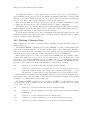
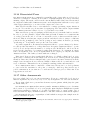
M-x tags-query-replace performs a single query-replace-regexp through all the files
in the tags table. It reads a regexp to search for and a string to replace with, just like ordinary M-x query-replace-regexp. It searches much like M-x tags-search, but repeatedly,
processing matches according to your input. See Section 12.9 [Replace], page 91, for more
information on query replace.
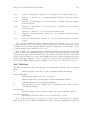
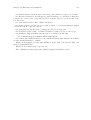
You can control the case-sensitivity of tags search commands by customizing the value
of the variable tags-case-fold-search. The default is to use the same setting as the value
of case-fold-search (see Section 12.8 [Search Case], page 91).