1
dua1611-5aaa04.book Page 247 Friday, November 29, 2002 8:56 PM
Performing a Software Upgrade
247
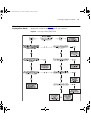
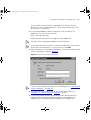
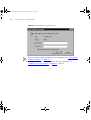
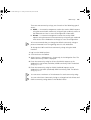
12 The software upgrade may take several minutes to complete. The
Software Upgrade Successful screen is displayed when the software
upgrade has been successful.
13 Click Reboot to exit the Upgrade Software wizard and reboot the
Webcache. This will complete the software upgrade. The Device View is
displayed in the Web interface.
If you have downgraded the software the Getting Started Wizard will
start automatically and you will now have to restore the system
configuration. See “Restoring a Configuration” on page 238.