1
KDevelop User Manual
N OTE
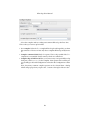
The templates you define here will come in effect only after the Application Wizard
has created the new project. You will find this information on top of the files you
created yourself in the development process. When creating the initial files the
Application Wizard will use some predefined standard templates. You will have to
manually adapt those initial files to your needs.
5.1.4
Build the Initial Project Files
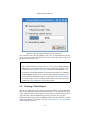
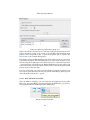
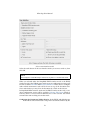
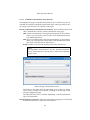
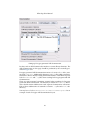
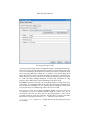
Almost everything is done now. On the last templates page the Next > button
will have changed to read Finish now.
Think twice before you click on it! You still have the option to revise everything by
repeatedly using the < Back button. As the Application Wizard remembers all
information you did input so far, it may be advisable for you to take the time
and look back once again. In case you use local CVS, do not forget to doublecheck the CVS repository name (there should be no subdirectory with that name
in the CVS root directory already—if it does, try another repository name).
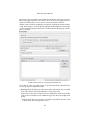
If ever you don’t want the new project be built, abort the Create New Project
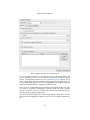
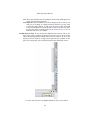
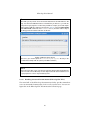
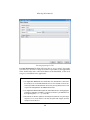
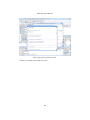
dialog by the Cancel button. Otherwise click Finish and watch in the Messages
window how the Application Wizard initiates the project.
If you want to use a versioning system (CVS) there will be two runs actually.
Application Wizard will first build the project directories and files and then call
up the CVS program which restarts the Messages window with its own contents. If any error occurs in either of these runs, the process will stop showing
you an according error message in the window.
N OTE
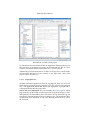
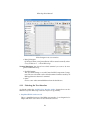
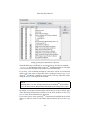
In many cases when your new project has been set up this way, KDevelop will
automatically load the source file(s) of one or more basically important modules
so you can readily start work. (Which source modules will be displayed—if any at
all—however depends on the template initially selected in the Application Wizard.)
Do not forget to initially check what the Application Wizard has provided. For
example you may want to change the initial heading informations according to
your own templates. Usually you will find these in a templates subdirectory
in your project directory. Some simple copy operations will mostly suffice.
Then it is advisable that you compile the initial project before you attempt to
change any code. In most cases this initial compilation should be possible.
Thus you can make up whether the project really was set up according to your
needs. If it was not, simply remove the project directory (in your local CVS
root as well if you use one) and start over again.
118