1
KDevelop User Manual
D.2
User Oriented Configuration
All information about user defined settings is kept in two subdirectories of $KDEHOME, namely:
Application Specific Configuration in the $KDEHOME/share/apps/ directory, and
Resource Configuration File in the $KDEHOME/share/config/ directory.
D.2.1
Application Specific Configuration
Any user changes to the KDevelop Default Configuration settings as well as
user specific settings which are not kept in any of the Resource Configuration
Files are found in kdev... subdirectories of the $KDEHOME/share/apps/ directory.
Most of these configuration files are however used by various KDevelop plugins in order to provide some specific menu and/or toolbar entries. Thus they
are of interest only in case something went really wrong with the user interface.
N OTE
In case the contents of these directories mirror those of the Default Configuration
settings, KDevelop will have copied them from $KDEDIR/apps/ into the $KDEHOME/apps/ directory on its initial start. Any subsequent changes will be made to these
copies only. The Default Configuration settings remain unchanged in any case.
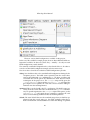
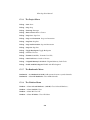
• kdevabbrev/ — contains files used by the Abbreviation Expansion plugin:
– sources/ — currently empty; KDevelop uses the default keyword definition files for Expand Text commands.
– templates/ — contains the user modified template definition files used by
the Expand Abbreviation command.
– kdevabbrev.rc — provides the Expand Text and Expand Abbreviation entries in the Edit menu.
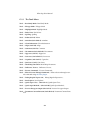
• kdevappwizard/ — only provides the New Project... and Import Existing
Project... entries in the Projects menu. The Application Wizard will use the
default configuration settings for its actual works.
• kdevastyle/ — provides the actual Reformat Source entry in the Edit menu.
• kdevautoproject/ — provides the actual entries in the Build menu and the
Build Toolbar (KDevelop) toolbar.
• kdevclassview/ — provides the Class Inheritance Diagram entry in the Project
menu and the class browser combo box in the Browser Toolbar by the Class
View project plugin.
179