1
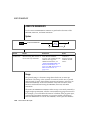
CREATE TRIGGER
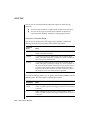
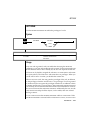
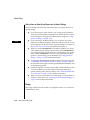
Privileges to Execute Triggered Actions
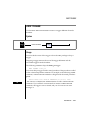
If you are not the trigger owner but the trigger owner’s privileges include the
WITH GRANT OPTION privilege, you inherit the owner’s privileges as well as
the WITH GRANT OPTION privilege for each triggered SQL statement. You
have these privileges in addition to your privileges.
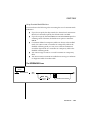
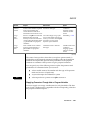
If the triggered action is a stored procedure, you must have the Execute
privilege on the procedure or the owner of the trigger must have the Execute
privilege and the WITH GRANT OPTION privilege. Inside the stored
procedure, you do not carry the privileges of the trigger owner; instead you
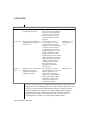
have the following privileges:
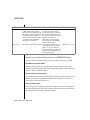
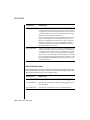
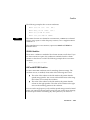
1.
The triggered action is a DBA-privileged procedure.
When you are granted the Execute privilege on the procedure, the
database server automatically grants you DBA privileges for the
procedure execution. These DBA privileges are available only when
you are executing the procedure.
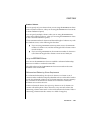
2.
The triggered action is an owner-privileged procedure.
If the procedure owner has the WITH GRANT OPTION right for the
necessary privileges on the underlying objects, you inherit these
privilege when you are granted the Execute privilege. In this case, all
the nonqualified objects that the procedure references are qualified
by the name of the procedure owner.
If the procedure owner does not have the WITH GRANT OPTION
right, you have your original privileges on the underlying objects
when the procedure executes.
For more information on privileges on stored procedures, see Chapter 12 in
the Informix Guide to SQL: Tutorial.
SQL Statements 1-215