1
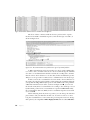
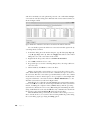
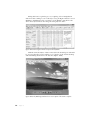
find any traffic, then you will know that something is wrong—perhaps a
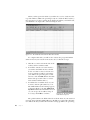
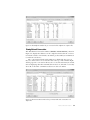
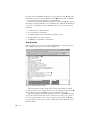
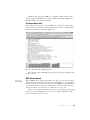
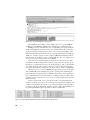
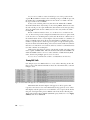
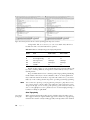
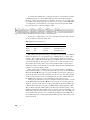
misconfiguration or a rogue device. In order to filter on a specific frequency, use this filter syntax:
radiotap.channel.freq == 2412
This will show all traffic on channel 1. You can replace the 2412 value
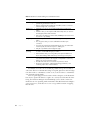
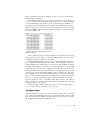
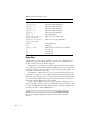
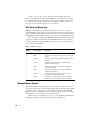
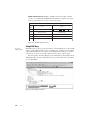
with the appropriate frequency for the channel you wish to filter. Table 11-2
lists the frequencies associated with each channel.
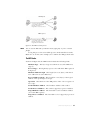
Table 11-2: 802.11 Wireless Channels and Frequencies
Channel
Frequency
1
2412
2
2417
3
2422
4
2427
5
2432
6
2437
7
2442
8
2447
9
2452
10
2457
11
2462
There are hundreds of additional useful filters that you can use for wireless network traffic. You can view additional wireless capture filters on the
Wireshark wiki at http://wiki.wireshark.org/.
Wireless Security
The biggest concern when deploying and administering a wireless network is
the security of the data transmitted across it. With data flying through the air,
free for the taking by anyone who knows how, it’s crucial that data be encrypted.
Otherwise, anyone with Wireshark and an AirPcap card can see it.
NOTE
When another layer of encryption, such as SSL or SSH, is used, traffic will still be
encrypted at that layer, and the user’s communication will still be unreadable by a
person with a packet sniffer.
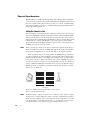
The original preferred method for securing data transmitted over wireless networks was in accordance with the Wired Equivalent Privacy (WEP)
standard. WEP was mildly successful for years until several weaknesses were
uncovered in its encryption key management. To improve security, new standards were created. These include the Wi-Fi Protected Access (WPA) and
WPA2 standards. Although WPA and its more secure revision WPA2 are still
fallible, they are considered more secure than WEP.
228
Chapter 11