1
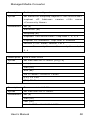
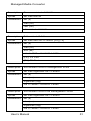
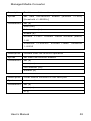
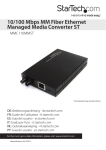
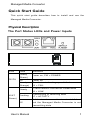
Managed Media Converter Steady FD/CL (Orange) Flashing Off Connection in full-duplex mode FD = FULL-DUPLEX Collision occurred CL = COLLISION Connection in half-duplex mode Physical Description z One-channel media conversion between 10/100Base-TX and 100Base-FX z Multi-mode fiber using SC, ST, VF-45, MT-RJ, or LC connector z Single-mode fiber using SC or ST connector z WDM single-fiber (bi-direction) transceiver, single-mode fiber using SC connector: A type: WDM single-fiber (bi-direction) transceiver transmits with 1310nm wavelength and receives with 1550nm wavelength B type: WDM single-fiber (bi-direction) transceiver transmits with 1550nm wavelength and receives with 1310nm wavelength z Auto negotiation of speed and duplex mode on TX port z Auto MDIX on TX port z 1024 MAC addresses, 256K bits buffer memory z One push button to reset the Managed Media Converter to default IP address z Complies with IEEE802.3ah OAM CPE (Customer Premise Equipment) standard z Supports VLAN & IEEE802.1Q Tagged VLAN z Supports broadcast storm protection z Provides MAC address filtering z SNMP, Web-based, Telnet, and RMON management z Alarm by Mail-Trap and SNMP-Trap User’s Manual 2