1
Chapter 4 Operation
4.1.4. Shutdown Procedure
While the instrument is switched on, press the Power Switch on the front panel for 2 seconds, the
instrument will switch off.
Place the instrument and its accessories properly after shutdown:
1) Put the probe into the probe holder and make sure the probe cable can't be dragged by
accident, or disconnect the probe and put it properly;
2) Put the foot switch properly and make sure the foot switch cable is placed properly to
prevent others from stumbling by the cable and drop of instrument;
3) Plug out the Main Power Plug of the Power Adaptor cable and put it properly.
4.2 Interface Introduction
4.2.1. Startup Interface
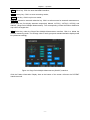
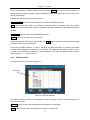
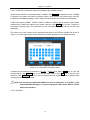
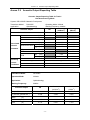
Switching on the GRU-5000P, the buzzer will beep shortly and then enter the Login Interface (see
Figure 4.1).
Figure 4.1 Login Interface
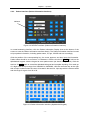
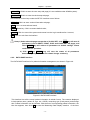
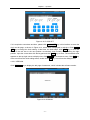
Click ENTER key directly under the Login Interface will enter the PACHYMETER Interface of the
default ADMIN user system. Click ▼ to select other user system, see Figure 4.3; after selection,
click ENTER key to enter the corresponding PACHYMETER Interface of the relevant user system.
See §4.3.5 for amendment of the user name, in which ADMIN is the particular system name that
can’t be amended.
-9-