1
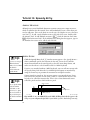
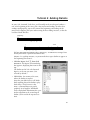
Installation for Macintosh
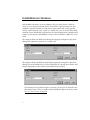
can be very simple or very elaborate. The most basic ones require no external
power and have ports (jacks) for a single MIDI keyboard; more expensive models
have ports for multiple MIDI devices or other features. Older Macintosh models
have what are called Serial Ports and are usually signified by phone (modem) and
printer icons on the back of your computer. If you have such a port on your
computer, you’ll need a Serial Port MIDI interface. New Macintosh models don’t
have traditional Serial Ports. Instead, they have USB (Universal Serial Bus) ports, a
new standard that allows users to connect devices to their computers without
needing to restart for the devices to become active. If you have a Blue and White
G3, 1999 or later Powerbook G3, G4, iMac or iBook, you’ve got USB ports and will
need the appropriate USB MIDI Interface or adapter. In addition, the devices that
work with the USB ports will require either Open Music System (OMS) or
FreeMIDI as the MIDI helper software (Serial Port Macs can use Finale Workbook’s
MIDI driver). Both FreeMIDI and OMS are included on the Finale Workbook CD.
Here’s a quick list of some Macintosh MIDI hardware and the necessary helper
software:
*A Mark of the Unicorn USB MIDI Interface such as the USB FastLane can use
either FreeMIDI or OMS.
*A MIDIMan USB MIDI Interface such as the MIDISport, or an Opcode USB MIDI
Interface such as the MIDIPort requires OMS.
*Other MIDI Interfaces can probably use either FreeMIDI or OMS, but check with
the device’s manufacturer to be sure.
*A Serial Interface through the use of a USB to Serial Adapter (such as Keyspan) or
Serial Card (such as GeeThree or Griffin). Check with the manufacturer of the
device to make sure it supports MIDI and which MIDI helper software (FreeMIDI
or OMS) is preferred for that device.
* A Soundblaster for Mac PCI card will require OMS.
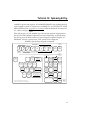
For now, we’ll just set up the hardware and deal with the helper software setup in
CONFIGURING YOUR MIDI SOFTWARE later in this chapter.
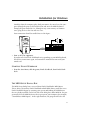
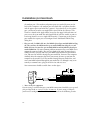
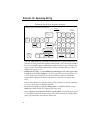
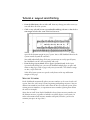
• Place the computer, keyboard, and MIDI interface where you want them. Go
ahead and plug in any power cords, but don’t turn anything on yet.
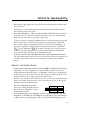
• Plug one end of the MIDI interface cable into the interface (if applicable). Plug
the other end into the USB or serial port on the back of your Macintosh.
Serial port users: If you prefer, you can use the printer port instead of the
modem port. Most people, however, use the modem port for their MIDI
connections, and Finale Workbook’s default configuration assumes you’re using
xiii