1
Tutorial 1b: Speedy Entry
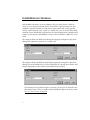
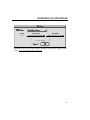
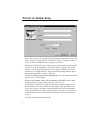
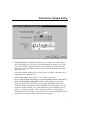
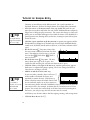
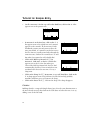
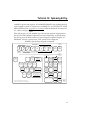
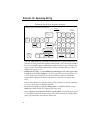
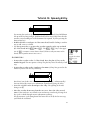
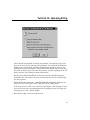
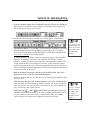
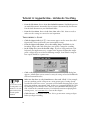
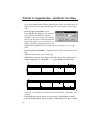
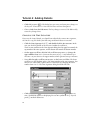
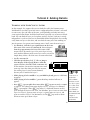
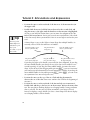
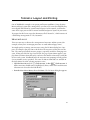
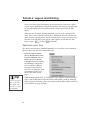
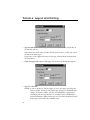
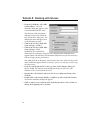
At the top of the screen there are various options for defining the temporal (time)
definition of the triplet. Using these drop-down lists and text boxes, you’ll answer
the question, “How many of what value are to be played in the time of how many
of what value?” Look at the two text boxes at the top of the Tuplet Definition dialog box. As you see, Workbook has guessed that you want to fit three quarter
notes in the time of two—precisely the definition of a quarter-note triplet.
In the Display section, there are checkboxes where you can specify how the
triplet should look in the score. Should it have a bracket? Should it have a
number? For now, the default settings are fine.
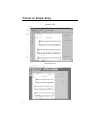
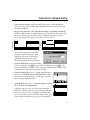
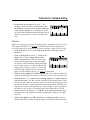
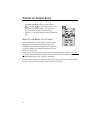
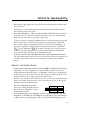
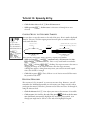
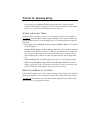
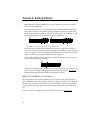
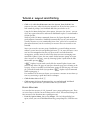
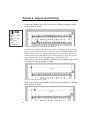
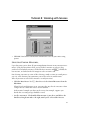
• Click OK. You’ve just turned ordinary quarter notes into a triplet by clicking the
first of them with the Tuplet Tool. (You can edit the tuplet to look any way you’d
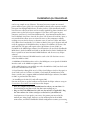
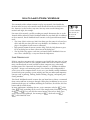
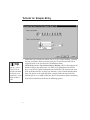
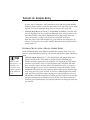
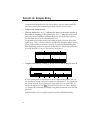
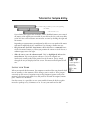
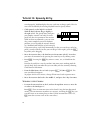
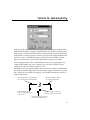
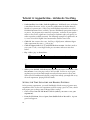
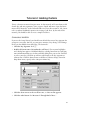
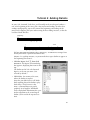
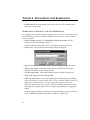
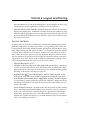
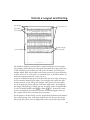
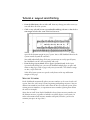
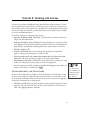
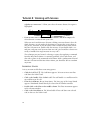
like.) Notice the six handles that appear. These handles control the various elements of the bracket:
Drag this handle to change
the angle of the bracket.
Drag this handle to independently
move the bracket from the number.
3
Drag this handle up or
Drag this handle to move the
down to change the length
number relative to the bracket.
of the “hook”.
Drag this handle to move the
entire bracket and number.
27