1
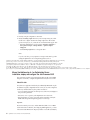
3. Create a new Topic with the following properties:
v Make it available to all servers where ODM Enterprise Server components
will be deployed.
v Set its name to OptimizationServerTopic.
v Set its JNDI name to jms/optimserver/Topic.
v Select the service integration bus mentioned earlier.
v Use the default Topic space.
4. Create a new Topic Connection Factory with the following properties:
v Make it available to all servers where ODM Enterprise Server components
will be deployed.
v Set its name to OptimizationServerTopicConnectionFactory.
v Set its JNDI name to jms/optimserver/TopicConnectionFactory.
v Select the service integration bus mentioned earlier.
5. Create a new Queue Connection Factory with the following properties:
v Make it available to all servers where ODM Enterprise Server components
will be deployed.
v Set its name to OptimizationServerQueueConnectionFactory.
v Set its JNDI name to jms/optimserver/QueueConnectionFactory.
v Select the service integration bus mentioned earlier.
6. Create a new Activation specifications with the following properties:
v Make it available to all servers where ODM Enterprise Server components
will be deployed.
v Set its name to OptimizationServerTopicSpec.
v Set its JNDI name to jms/optimserver/TopicSpec.
v Select Topic as the destination type.
v Set the destination JNDI name to jms/optimserver/Topic (the Topic
previously created).
v Select the service integration bus mentioned earlier.
28
Optimization Server and Data Server Installation Guide