1
System Galaxy 8.2.4 Biometrics Guide
Sagem MA110 & HID iClass Interface
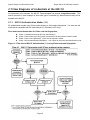
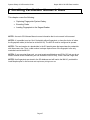
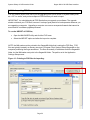
1.3 System Overview & Diagram of Credentialing
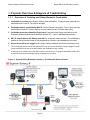
1.3.1 Overview of Creating and Using Biometric Credentials
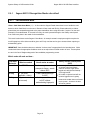
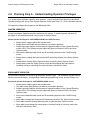
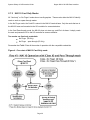
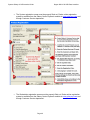
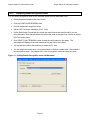
1. Cardholder is enrolled at the System Galaxy client workstation. Fingerprints are captured and
associated with a card ID. The card is encoded.
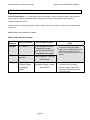
2. Cardholder data is sent/loaded to MA110 over an Ethernet connection. This is done when the
credentials are saved* in System Galaxy or when loaded via the GCS MALoader utility.
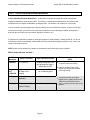
3. Cardholder presents credentials (finger/card). Card and human finger are matched to the
fingerprint template and the associated with the card ID**. User is identified/authenticated.
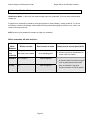
4. MA110 outputs data to the Galaxy controller for an access control decision. The cardholder is
granted or denied access based on the programming of access rules/schedules at the panel.
5. Access Control Event is logged to the System Galaxy database and Event monitoring screen.
*
The Load Morpho option must be checked and the Loop and Access Privileges must be assigned in order
for the credentials to be sent to the MA110 when the cardholder record is saved.
**
A valid card ID is created in SG even when cards are not issued (i.e. Fingerprint Identification mode). This
is required so that access privileges can be controlled for the enrollee.
Figure 1 - System Galaxy Biometrics Interface – Enrollment & Access Control:
Page 11