1
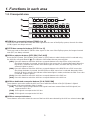
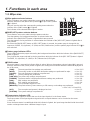
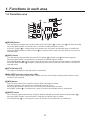
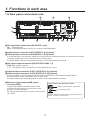
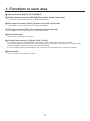
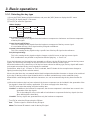
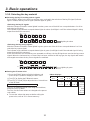
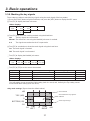
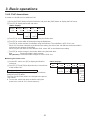
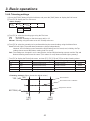
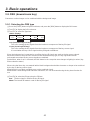
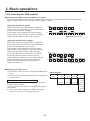
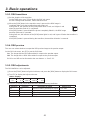
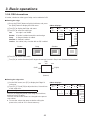
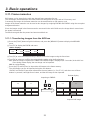
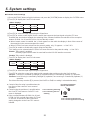
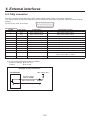
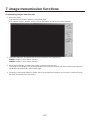
1. Functions in each area 1-5. Transition area 7 8 PinP IN/OUT 10 11 12 MEMORY KEY PATT XPT SYSTEM WIPE PATTERN / FUNCTION FUNC N/R R WIPE DIRECTION MIX 9 DSK WIPE FTB ON BKGD KEY PinP MIX WIPE CUT DSK AUTO >[BKGD] button This executes the background transition when the [AUTO] button (D) or fader lever (J) has been operated. When the [BKGD] button is pressed and it is selected, its indicator lights in amber. If the [KEY] button (?) is now pressed, the indicator goes off, and the de‑selected status is established. When the [BKGD] button and [KEY] button (?) are pressed at the same time, both buttons are set to the selected status. ?[KEY] button This executes the key transition when the [AUTO] button (D) or fader lever (J) has been operated. When the [KEY] button is pressed and it is selected, its indicator lights in amber. If the [BKGD] button (>) is now pressed, the indicator goes off, and the de-selected status is established. When the [BKGD] button (>) and [KEY] button are pressed at the same time, both buttons are set to the selected status. @KEY ON tally LED This lights in red when the key ON status is established. AMIX, WIPE selection status tally LEDs These light up to indicate whether MIX or WIPE has been selected when background transitions or key transitions are executed. B[MIX] button This is used to switch the A and B bus images while making them overlap. During the transition, the A and B bus output total is kept at 100 %. When the [MIX] button is pressed and it is selected, its indicator lights in amber. If the [WIPE] button (C) is now pressed, it goes off, and the de-selected status is established. C[WIPE] button This is used to execute the transition using the pattern selected by the wipe pattern selector button (8). When the [WIPE] button is pressed and it is selected, its indicator lights in amber. If the [MIX] button (B) is now pressed, it goes off, and the de-selected status is established. 12