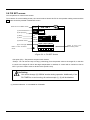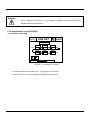
1
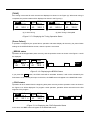
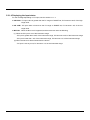
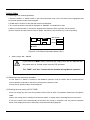
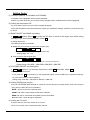
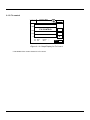
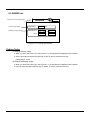
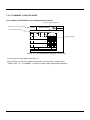
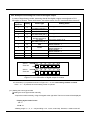
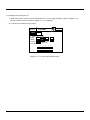
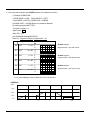
(5) Setting the PID group number
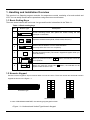
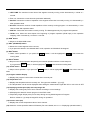
● Input the PID group number to apply to the current segment.
● Range: 1 ~ 8
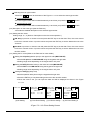
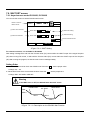
(6) Setting the operation time
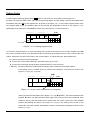
● Input the time if the RAMP unit is TIME, or the ramp rate value if the mode is SLOPE.
(For more details, refer to the Installation Manual, 3.17 SYSTEM SET.)
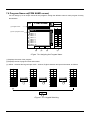
PROGRAM
SEG
0
SEGMENTS
SP C PID TIME
00
50.0
999:55 9
1
0
JC
GS
0
0
n
Hr:Min
EVENT SET
P T T P P P
PROGRAM
SEG
00
0
SEGMENTS
SP C PID TIME
50.0
1
9.9
n
(a) RAMP unit = TIME
Hr:Min
JC
GS
0
P T T P P P
0
M M M A 0 0
M M M A 0 0
o
0
EVENT SET
o
(b) RAMP unit = SLOPE
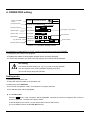
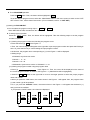
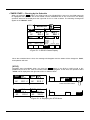
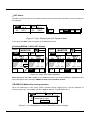
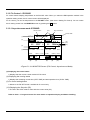
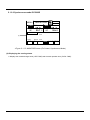
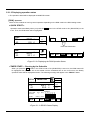
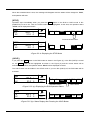
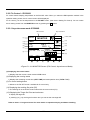
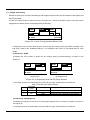
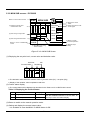
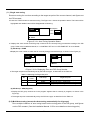
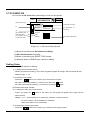
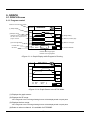
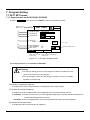
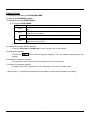
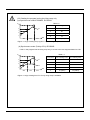
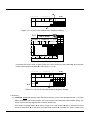
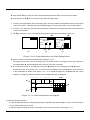
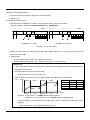
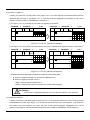
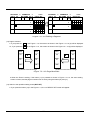
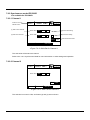
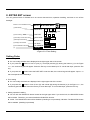
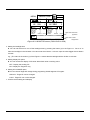
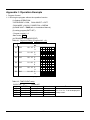
<Figure 7.2.1.8> Time Input
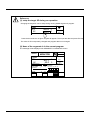
● When you press the Ent or left/right key at the position n in the Figure 7.2.1.8 (a) or (b), the cursor will
move to the position o.
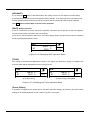
● Setting range
(a) Time input (TIME) = 00:00 ~ 99:59(Hr:Min or Min:Sec)
(b) Ramp ratio input (SLOPE)= 0.0 ~ 99.99(C/min or F/min or C/sec or F/sec)
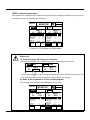
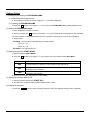
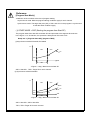
<Reference>
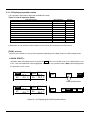
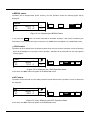
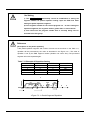
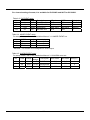
1. When time value is changed slope to time by RAMP unit, the displayed value and operating time is
changed by setting range.
Ex) when slope is set to 9.9, the time is 9:59 .
When slope is set to 3.50, the time is 3:50 .
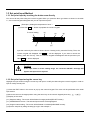
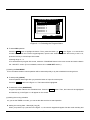
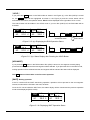
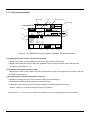
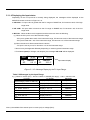
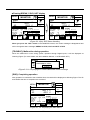
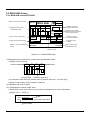
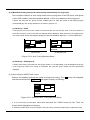
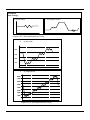
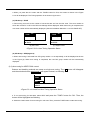
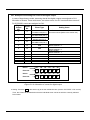
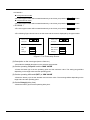
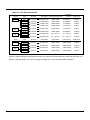
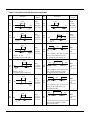
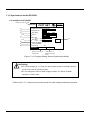
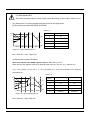
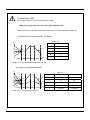
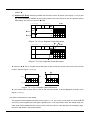
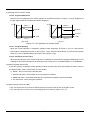
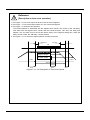
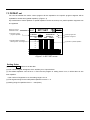
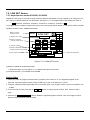
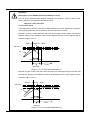
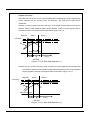
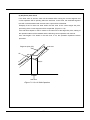
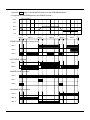
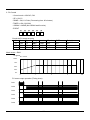
2. when RAMP unit=’SLOPE’, in case of below pattern, the TIME setting is as following.
Ex)
SP
SEG.0
SEG.1
SEG.2
SEG.3
SP.2
SP.0
SP.3
SP.1
SEG No
0
1
2
3
setting
Slope0
Time1
Slope2
Time3
Remark
TIME
Slope.0
Time 1
Slope.2
Time 3
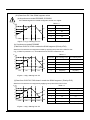
Checking : if [SP1-SP0] = 0 Æ TIME setting as SOAK segment.
If [SP2-SP1] < 0 or if [SP2-SP1] > 0 Æ SLOPE setting as tilted segment.
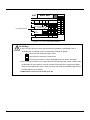
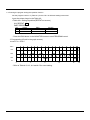
In SOAK segment, if the target SP is changed during setup, it shows the slope value without
changing.
When SOAK time = 1:00, SLOPE value becomes 1.00.
- 78 -