1
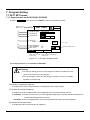
7.2 Segment Editing(SEG SET screen)
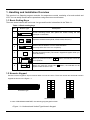
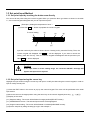
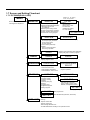
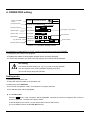
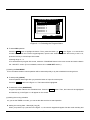
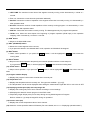
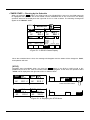
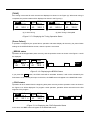
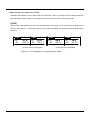
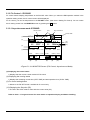
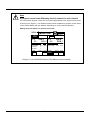
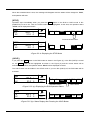
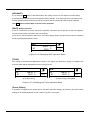
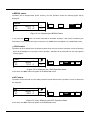
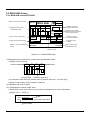
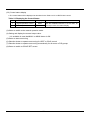
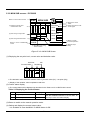
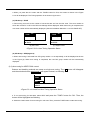
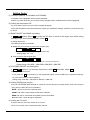
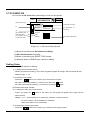
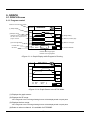
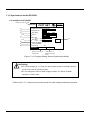
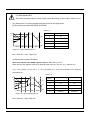
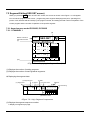
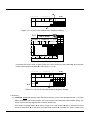
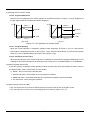
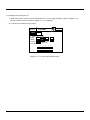
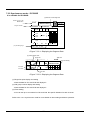
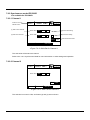
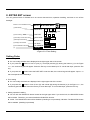
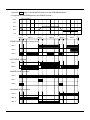
When you press the EDIT button in PATT SET screen, the screen as shown in the Figure 7.2.1 will appear.
You can set the program in this screen – programming each segment data (target set point, operating time,
junction code, GSOAK wait and event) by the program number, and setting the total number of repetition of the
current program and the number of repetition of the specific segment.
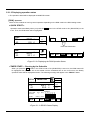
7.2.1 Asynchronous mode-IPC5000D, IPC5000S
7.2.1.1 CHANNEL 1
EXIT
Button to move to
PATT SET screen
(1)
SP
00
1
99:59
1
-100.0
▲
SEGMENTS
PID TIME
-100.0
02
(17)
C
-100.0
01
01.23 FRI
12. 59. 50
SEG SET
PROGRAM 0
SEG
(2)
99:59
1
99:59
INS
▼
3
JC
GS
Hr:Min
EVENT SET
0
P T T P P P
0
M M M A 0 0
0
P T T P P P
0
M M M A 0 0
2
P T T P P P
0
M M M A 0 0
DEL
EDIT
RPT
SP : -200.0 to 500.0
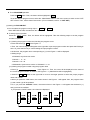
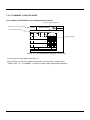
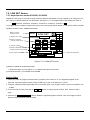
<Figure 7.2.1> Displaying the Segment Data (CH1)
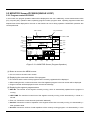
(1) Displays the number of setting programs.
(2) Displays the number of total registered segments.
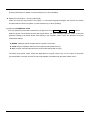
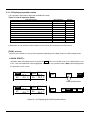
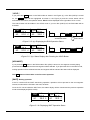
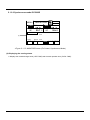
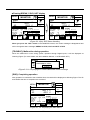
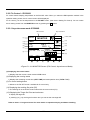
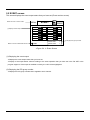
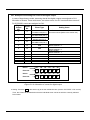
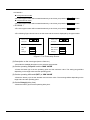
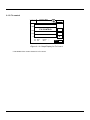
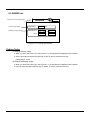
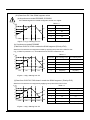
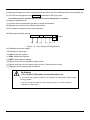
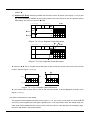
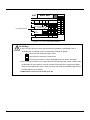
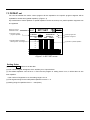
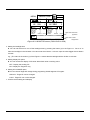
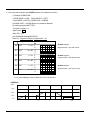
◈ Displaying the segment data
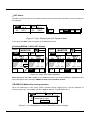
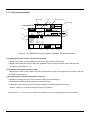
(6)TIME
(4) Target set point
(3) Segment No.
(5) PID Gr.
PROGRAM
SEG
00
0
SP C PID TIME
50.0
1
TIME unit
(7) Junction code
SEGMENTS
99:59
3
Hr:Min
JC
GS
0
EVENT SET
P T T P P P
0
M M M A 0 0
(8) GSOAK number
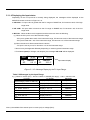
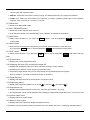
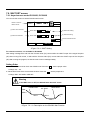
<Figure 7.2.1.1(a)> Segment Components
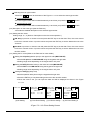
(3) Displays the segment sequence number.
● Displays 3 segments per page.
- 71 -
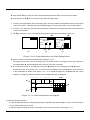
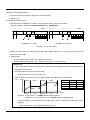
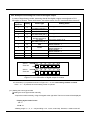
(9) Event setting