1
EFIS Panel Builder
User Manual
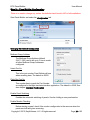
Configure the X-Plane 10 Interface (for X-Plane 10.20 or greater)
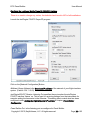
There is no need to change any values; the defaults should work in 99% of all installations.
The plugins for x-plane where installed in the previous step under
C:\X-Plane 10\resources\plugins
There are 3 configuration files for the plugin.
In folder C:\X-Plane 10\resources\plugins\PluginPanelBuilderSender In
folder C:\X-Plane 10\resources\plugins\PluginPanelBuilderReceiver
PaneBuilderSender.cfg
PanelBuilderReceiverDAT.cfg
PanelBuilderReceiverCMD.cfg
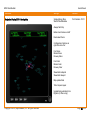
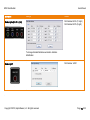
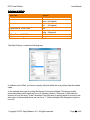
The first part of the network settings are in PanelBuilderSender.cfg:
Multicast IPAddress
the broadcast address for the network of your flight
simulator system. 224.11.5.62 is the default. No need to
change it unless you have another program using it.
Interval
How often X-Plane sends data to the Instruments PC in
Seconds (0.2 seconds = 200 milliseconds)
Copyright © 2015, BajuSoftware, LLC. All rights reserved.
Page 23 of 92