1
4
POP-C++ Installation
2.3 Installation
2.3.1 Compiling
To compile and install POP-C++ enter the following commands.
tar -xzf popc-<version>.tar.gz
cd popc-<version>
./configure
make
make install
Note
• You must have full rights (read, write and execute) on the directories you compile and install
POP-C++.
If you experience problem when compiling POP-C++ (make command), correct the problem and,
before relaunching the compilation, do make clean to force a full recompilation of the POP-C++
package.
The default installation directory is /usr/local/popc, but you can change it by using:
./configure --prefix=<inst-dir>
Where <inst-dir> is the full path of the directory where you want to install POP-C++.
When you run make install, the installation script asks you how to setup the system. You have
two options : a simple (standalone) or a standard installation. If you want to use POP-C++ only
on one machine (standalone), select the simple installation. If you want to use POP-C++ on a
network of machines (cluster, grid,...), you must select the standard version and parametrize POPC++ for your environment. We recommend usage of the simple version for beginners and this
document only presents the simple installation.
Note
•
You can, at anytime, switch from one installation to the other by parametrizing POP-C++. This
can be done by using the popc_setup command.
When you launch the installation (make install) several technical messages are displayed and
eventually the following text and question are displayed
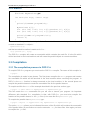
POP-C++ will now be configured. To do this, some information must be
entered manually.
**************************************************************************
They are 2 different ways to to configure the POP-C++ Services :
- if you are new to POP-C++ and simply want to try it on your machine,
select a simple installation (y). No further question will be asked.