1
1.4
2.
3.
iv
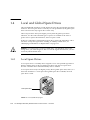
Local and Global Spare Drives
1–16
1.4.1
Local Spare Drives
1–16
1.4.2
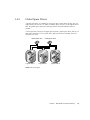
Global Spare Drives
1.4.3
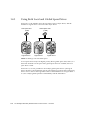
Using Both Local and Global Spare Drives
1–17
1.5
Controller Defaults and Limitations
1.6
Battery Operation
1–18
1–19
1–20
1.6.1
Battery Status
1–20
1.6.2
Write-Back Versus Write-Through Cache Options
1.7
RAID Planning Considerations
1.8
Basic Configuration Overview
Accessing the Controller Firmware
1–20
1–20
1–22
2–1
2.1
Setting Up the Serial Port Connection
2–1
2.2
Accessing the Firmware Application From a Solaris Host
2.3
Redefining the Baud Rate for the tip Command
2.4
Using the tip Command for Local Access to the Array
2.5
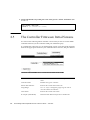
The Controller Firmware Initial Screens
2.6
Main Menu
2.7
Quick Installation (Reserved)
2.8
Upgrading Firmware
2–3
2–4
2–5
2–5
2–6
Viewing and Editing Logical Drives
3–1
3.1
Introducing the Logical Drive Commands
3.2
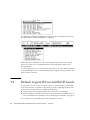
Default Logical Drives and RAID Levels
3.3
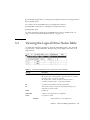
Viewing the Logical Drive Status Table
3.4
Creating Logical Drive(s)
3.5
Changing a Logical Drive Controller Assignment
3.6
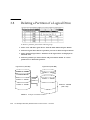
Partitioning a Logical Drive
3–1
3.7
Deleting a Logical Drive
3–2
3–3
3–4
3–11
3–15
Sun StorEdge 3000 Family RAID Firmware 3.25 User’s Guide • June 2003
2–2
3–10
2–3