1
AC Prograph User Manual
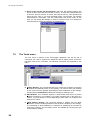
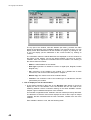
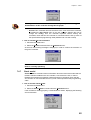
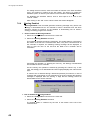
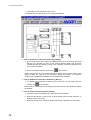
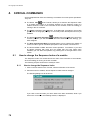
2. If you chose No, The dialog box will disappear, the new project command
aborted and the worksheet will continue to present the previous project
information, in order to allow you to save it, before switching to a new project.
n
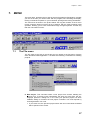
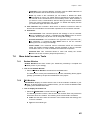
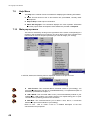
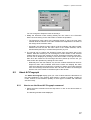
Open Project: This command loads in the worksheet a project, previously saved
on the disk. You will be asked to specify the project name as with the usual
Windows applications.
n
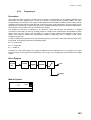
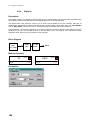
Macro: Allows to set up an entire, or part of a strategy that can be used in a main
strategy.
n
Save Project: This command allows you to save the current project in your
worksheet on the disk, in the directory and with the file name, previously
specified. If the project is new and not yet saved, you will be prompted for
entering the name and the destination directory.
n
Save Project As: This command allows you to save the current project in your
worksheet on the disk, in the directory and with the file name you specify.
n
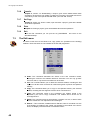
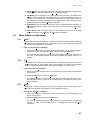
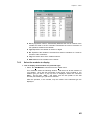
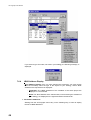
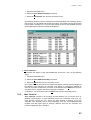
Transfer: This command controls all the operations required for the transfer of
the strategies between the controller and the PC. The secondary menu allows
you to specify exactly the operation required, as follows (For more information of
the transfer operation, refer to Chapter 4):
− To File ( .S19): It saves the project in the directory and with the file name
specified, using the Motorola “S19” format.
− To Instrument: It downloads the current project in the AC-Prograph
worksheet into the memory of the AC controller.
− From Instrument to file ( .S19): It uploads the strategy in the AC controller
into the PC, saving it on the disk in the directory and with the filename
specified, using the Motorola “S19” format.
− Load Parameters from Instrument: It allows to update all the parameters
values in the functional modules of current project with the corresponding
values in the AC controller. Note This update operation is allowed only if the
project in the AC controller and the current project in the AC-Prograph are
perfectly identical.
− From File ( .S19) to instrument: It transfers a strategy, stored on the disk
with the “S19” format directly in the memory of the AC controller.
− Xmit Parameters to Instrument: It updates the parameters of a strategy
already residing in the AC controller with the ones in the current AC-Prograph
project. Note. This update operation is allowed only if the project in the AC
controller and the current project in the AC-Prograph/AC-Edit are perfectly
identical.
38
n
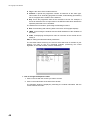
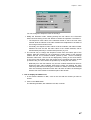
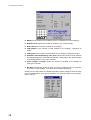
Set Page: It allows the setting of parameters related to the grid and the page
format For further details, refer to the Chapter 4 , section “How to create a new
project”.
n
Print: Print menu . For further details, refer Chapter 6.
n
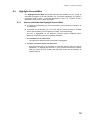
Lasts Files: This is a dynamic list with the name of the last 4 opened files. To
load one of these files, you need to simply click on the name.
n
Exit: It quits the AC-Prograph-AC-Edit.