1
Monitoring Workload Capture Using Views
Exporting AWR Data for Workload Capture
Exporting AWR data enables detailed analysis of the workload. This data is also
required if you plan to run the AWR Compare Period report on a pair of workload
captures or replays.
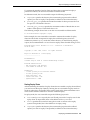
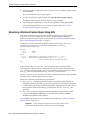
To export AWR data, use the EXPORT_AWR procedure:
BEGIN
DBMS_WORKLOAD_CAPTURE.EXPORT_AWR (capture_id => 2);
END;
/
In this example, the AWR snapshots that correspond to the workload capture with a
capture ID of 2 are exported. The EXPORT_AWR procedure uses the capture_id
required parameter, which specifies the ID of the capture whose AWR snapshots will
be exported. This procedure will work only if the corresponding workload capture
was performed in the current database and the AWR snapshots that correspond to the
original capture time period are still available.
Monitoring Workload Capture Using Views
This section summarizes the views that you can display to monitor workload capture.
You can also use Oracle Enterprise Manager to monitor workload capture, as
described in "Monitoring Workload Capture Using Enterprise Manager" on page 3-9.
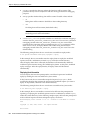
To access these views, you need DBA privileges:
■
■
The DBA_WORKLOAD_CAPTURES view lists all the workload captures that have
been captured in the current database.
The DBA_WORKLOAD_FILTERS view lists all workload filters used for workload
captures defined in the current database.
See Also:
Oracle Database Reference for information about these views
Capturing a Database Workload
3-15