1
Chapter 6
Caring For Your Tape Drive
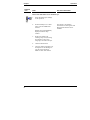
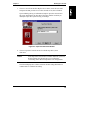
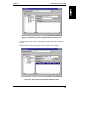
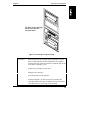
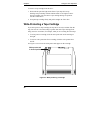
The back of the cartridge
will be flush with the
recessed bezel.
Figure 6-1. Inserting the Tape Cartridge
CAUTION
Interfering with a tape cartridge during operations can cause
data loss and may make the tape temporarily unrecordable.
During read-write operations (while the operation light on the
front panel is flashing), do not:
Pull the tape cartridge out of the drive
Bump the tape cartridge
Turn off the power to the computer
If this does happen, you may not be able to read the data
currently written to the tape. In addition, the tape may not be
recordable until it is erased with an Erase utility.
43