1
Introducing Microsoft Expression Web
To get an idea of just how easy it is to dock and undock toolbars and Task Panes, try rolling your cursor
over the title bar of a particular Task Pane or toolbar. Your cursor will change to the Move cursor. Now,
click, hold, and drag the Task Pane or toolbar out of its area and move it to another area within the environment. As long as the area supports the docking of that particular Task Pane or toolbar, it should snap
automatically into place.
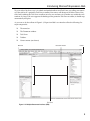
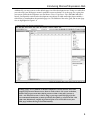
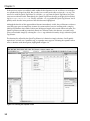
As you can see by the callouts in Figure 1-1, Expression Web’s user interface offers the following five
major components:
❑
The menu bar
❑
The Document window
❑
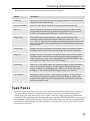
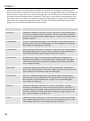
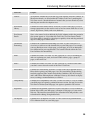
Task Panes
❑
Toolbars
❑
Context menus (not shown)
Menu bar
Document window
Toolbar
Task Panes
Figure 1-1: Multiple Document Interface (MDI)
3