1
Configuration Procedures - for Tru64 UNIX Environments
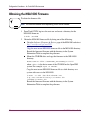
Note: The MSA1000 displays the message FIRMWARE FLASH STARTED when it starts
the download, and FIRMWARE FLASH DONE when the download is complete.
7. When the controller displays FIRMWARE FLASH DONE, remove power from the
MSA1000. After a few seconds, reapply power to the MSA1000, which
causes a reboot of the right controller.
When the right controller completes the reboot, the following message is
displayed:
COMPAQ MSA1000 STARTUP COMPLETE
Depending on the controller configuration, do one of the following:
■
If the MSA1000 has a single-controller, the firmware upgrade is
complete. Go to step 9.
■
If the MSA1000 has dual-controllers, reinstall the left controller and
continue with step 8.
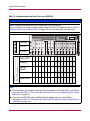
8. After reinstalling the left controller, the following message is displayed:
CLONE FIRMWARE? ‘<‘ =NO, ‘>’=YES
Press the > button on the left controller display to begin the cloning process.
Note: If you take no action, the firmware clone starts automatically.
The message ROM CLONING STARTED is displayed, indicating that the firmware
on the left controller is being cloned. Cloning takes approximately one
minute.
After the firmware clone is complete, the left controller displays the message
followed by ARRAY CONTROLLER RESTARTING.
ROM CLONING DONE,
The controller will restart within 30 seconds. The left controller displays
when the startup routine is complete.
COMPAQ MSA1000 STARTUP COMPLETE
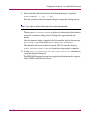
9. Use the show this_controller or show other_controller commands to
verify the firmware download.
The MSA1000 firmware has now been upgraded with firmware that supports
Tru64 UNIX and TruCluster Server.
MSA1000 Installation Guide
87