1
Configuration Procedures - for Linux Environments
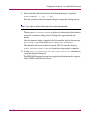
6. Install the FCA2214 HBA driver on the new kernel by entering:
rpm -Uvh rmp filename
where rpm filename is the name of the rpm file for your distribution of
Linux.
After a few minutes, the following messages are displayed:
Attempting to load qla2200 ..... FAILED
Attempting to load qla2300 ..... OK
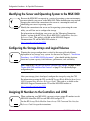
7. For Red Hat Linux Advanced Server/Enterprise Server, run the provided
script to modify the SCSI blacklist.
a. Navigate to the /opt/hp/storage_drivers/qla604/utils directory.
b. Enter the command scripname edit_initrd.redhat.
c. Follow the on-screen instructions to complete the update.
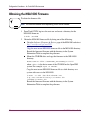
8. Remove the MSA1000 Support Software CD from the CD-ROM drive and
reboot your server.
9. Repeat these procedures for each Linux server that will access the MSA1000.
10. Connect the MSA1000 to the SAN, if it is not already connected.
Compiling a Driver from Source Code
If you need to build your own FCA2214 HBA driver module from source code or
manually patch the Linux kernel, refer to InstallNotes.txt in the /LINUX directory
on the MSA1000 Support Software CD.
MSA1000 Installation Guide
65