1
Setting Up and Using the Microphones
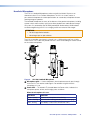
Follow these steps to set up the VLP 202 Pendant Microphone or the VLH 102 Handheld
Microphone and use it in a classroom:
1. Set the channels on the instructor and student (if applicable) microphones, using the
rotary switch (located on the back of the VLP 202 below the product label and behind
the battery cover of the VLH 102). Channels A and C are at 2.3 MHz, and channels B
and D are at 2.8 MHz. (The VLH 102 has only channels A and B.)
NOTE:Each microphone in the system must be set to a different frequency. For
example, on the pendant microphone A and B, A and D, B and C, or C and D
can be used together.
If the students will use a pendant microphone, it is recommended that the
channel be set to C or D. On these channels, the Volume button is disabled, and
the student is not able to inadvertently reset the volume.
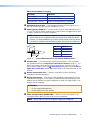
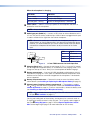
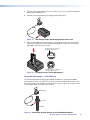
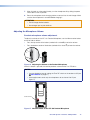
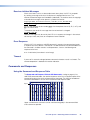
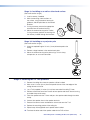
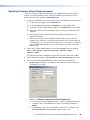
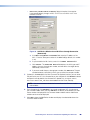
2. Apply the appropriate label sticker to the microphone. For example, if
your microphones have been set to channels A and B, place the Mic 1
(red) label on the microphone that is using channel A. Place the Mic 2
label (green) on the microphone using channel B.
NOTE: A recessed space is provided on the back of the pendant
microphone, below the channel adjustment switch. No location is
specified for the handheld microphone.
Teacher
Mic 1
Student
Mic 2
33-1694-01 A 08 08
3. Verify that the battery is installed (see Installing or Replacing the Microphone
Battery on page 13) and charged (see Charging the Microphone Battery on
page 14).
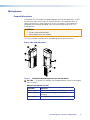
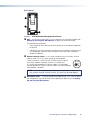
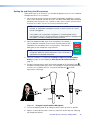
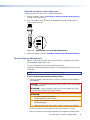
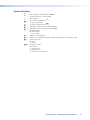
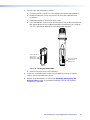
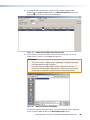
4. (Pendant microphone only) Attach the lanyard (provided) to the microphone clip (A)
and place the lanyard around your neck. The microphone should hang approximately
4 inches (10.2 cm) below your chin. Use the lanyard cord lock (B) to make
adjustments to the length.
Figure 15. Using the Lanyard with the Microphone
5. Turn the microphone power on by sliding the power switch up to the On position.
6. Speak in a normal tone of voice. If necessary, adjust the volume level (see “Adjusting
the Microphone Volume”).
VoiceLift System • Features and Operation
16