1
2 Using PC-CAM 600 as a Web Camera ............................... 14
Starting PC-CAM Center........................................................................................................15
Capturing Images and Videos.................................................................................................16
Recording a Video in Preview Mode........................................................................ 17
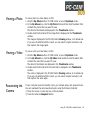
Viewing a Photo ......................................................................................................................18
Viewing a Video......................................................................................................................18
Reactivating the Camera.........................................................................................................18
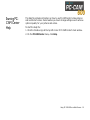
Starting PC-CAM Center Help ..............................................................................................19
3 Using PC-CAM 600 as a Digital Camera ............................ 20
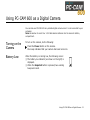
Turning on the Camera ...........................................................................................................21
Battery Low.............................................................................................................................21
Taking Pictures........................................................................................................................22
Tips on Taking Good Pictures ................................................................................................25
Recording Videos....................................................................................................................26
Downloading Images and Audio from the Camera ..............................................................27
Docked Mode............................................................................................................. 28
Undocked Mode......................................................................................................... 28
A Technical Specifications....................................................... 29
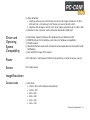
Features and Specifications ....................................................................................................30
Driver and Operating System Compatibility.........................................................................31
Power .......................................................................................................................................31
Sensor.......................................................................................................................................31
Image Resolution ....................................................................................................................31
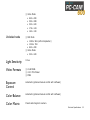
Docked mode ............................................................................................................. 31
Undocked mode......................................................................................................... 32
Light Sensitivity ......................................................................................................................32
Video Formats .........................................................................................................................32
iii