1
Go to Reference Links
Reference
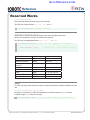
Troubleshooting ROBOTC with Cortex
•
•
•
•
•
•
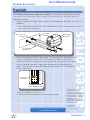
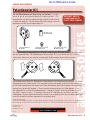
Restart your computer
Open ROBOTC
Start with the Cortex Turned OFF
Connect the Cortex to the computer over USB
Turn the Cortex On
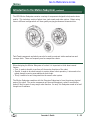
Retry downloading the Master CPU Firmware
8. Additional Steps
• Try downloading the Master CPU Firmware using another computer, with the same Cortex.
• Try downloading the Master CPU Firmware using the same computer, with a different Cortex.
• Try using a different USB A-to-A cable.
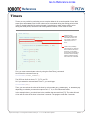
9. Slow down the firmware download by inserting delays.
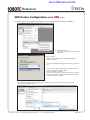
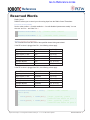
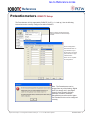
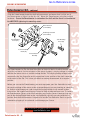
• Go to Window > Menu level > and select Super User
• Go to View > Preferences > Detailed Preferences...
• Go to the VEX Cortex Tab
• - The box next to “Delay Between HID Write” allows you to specify a number of
milliseconds to insert as delays.
• Add a 5 millisecond delay
• Retry downloading the ROBOTC Firmware
• Continue to add short delays up until 100 milliseconds.
• Retry downloading the Master CPU firmware until success.
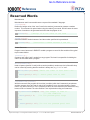
10. Try the download using the VEXnet Firmware Upgrade Utility, supplied by VEX Robotics.
• Download the VEXnet Firmware Upgrade Ultility, available here:
• http://www.vexforum.com/wiki/index.php/Software_Downloads
• Unzip the utility and instructions
• Follow the instructions included with the utility to update the firmware
Problem: Program will not Compile
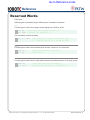
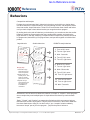
1. If you’re using Natural Language functions, make sure you’re in the Natural Language platform type.
• Go to Robot > Platform Type
• Select the Natural Language option
• Go to Robot > Compile Program to recompile your code
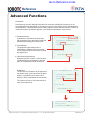
2. Is the correct Platform Type Selected?
• Verify that the correct platform type is selected under Robot > Platform Type
• Retry downloading the program
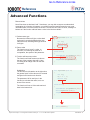
3. Check your code for mistakes.
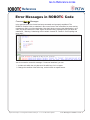
• Are you missing any curly braces?
• Are you missing any semicolons?
• Are any of your commands or variables improperly capitalized?
• Do any of your commands or variables contain typos?
• Go to Robot > Compile Program to recompile your code
Project Lead The Way © and Carnegie Mellon Robotics Academy © / For use with VEX® Robotics Systems
Troubleshooting ROBOTC with Cortex • 6