1
Re:source
Kaleidescape
Kaleidescape player setup
Before you set up the Revox
Kaleidescape module, you should
make all the necessary settings
for a problem-free communication
in the Kaleidescape system,
particularly in the Music Player or
you should get the Kaleidescape
system dealer/installer to do
them.
Apple Macintosh-Computers
The following Browser commands
are valid for Apple computers:
1. General command
http://my-kaleidescape.
local/installer
2. Serial number command
http://ks-Serialnumber.
local/installer
The Setup menu for the
Kaleidescape system, which is in
the Kaleidescape system
network, is accessed through a
PC with a Web Browser, e.g.
Windows IE, Mozilla Firefox, etc.
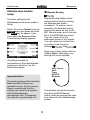
The most important points of the
setup of the Kaleidescape
system, which are significant for
the setup of the Music Player’s
RS232 interface, are shown on
the next pages.
Kaleidescape offers two different
accesses for the Setup menu:
All other Kaleidescape system
settings are not taken into
account. These can be found
either by reference to the
Kaleidescape Operating Manual
or to a Kaleidescape dealer.
1. General command
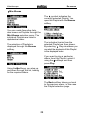
You use the General command if
the serial numbers of the Players
are not known or are difficult to
read:
http://my-kaleidescape/installer
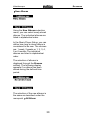
2. Serial number command
If the serial number of a
Kaleidescape player is known, the
Setup menu can be called up in the
Browser with the following
command:
http://ks-Serialnumber/installer
Enter all 12 characters of the
serial number, e.g.
http://00000000145C/installer
No connection to the
Kaleidescape Setup menu
If you cannot establish any
connection to the Kaleidescape
system, your network settings are
probably incorrect. More troubleshooting information can be found
under: www.kaleidescape.com
6