1
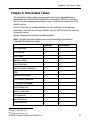
Chapter 6: Data Details Tables
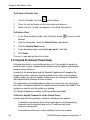
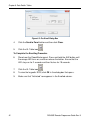
To Delete a Keypad
In the ID column, change the ID to 00000000, and then download to the control
panel as detailed in chapter 7: Connecting to the Control Panel.
6.17 2W Keypad Enrollment
A 2W (two-way) keypad, such as KP-140 PG2, is a multi-button wireless keypad
unit.
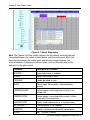
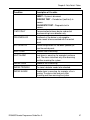
The Remote Programmer displays all enrolled 2-way keypads.
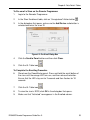
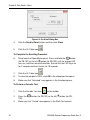
To Pre-enroll a 2W Keypad on the Remote Programmer
1.
Login to the Remoter Programmer.
2.
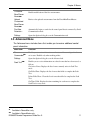
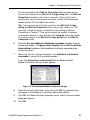
In the Keypad Enrollment table, click an “Unregistered” Action button
3.
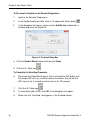
In the dialog box that opens, make sure the Add Device radio button is
selected and enter the keypad ID.
DE5450S Remote Programmer Guide Rev. 9
.
41