1
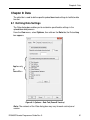
Chapter 4: Sites
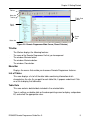
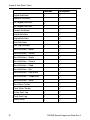
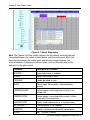
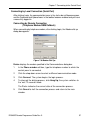
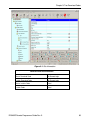
Each column of the site list table can be sorted in either descending or ascending
order by clicking on the column title. You can drag the vertical lines that separate
the columns to enlarge or reduce the size of the columns.
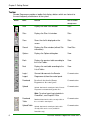
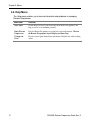
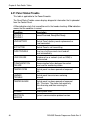
The screen displays buttons, which enable you to begin working with Remote
Programmer:
Button
Function
Open
Opens an existing Site
New
Opens a new Site
Delete
Deletes a Site
Exit
Closes the Remote Programmer application. When you
display the Sites List from within the system, the Exit
button appears as a Cancel button. This enables you to
remove the Sites List from the screen, and continue using
the application.
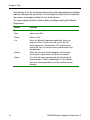
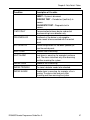
Opens the Browse for Folder dialog box, which enables
you to locate a folder where the Site files are located.
Lists all the file names containing the text entered into the
Search window. If "Look in sub directories" is not checked,
the search will be performed only on Sites location (the root
directory).
Browse
Search
14
DE5450S Remote Programmer Guide Rev. 9