1
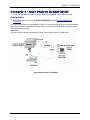
Chapter 14 – POP3 Client
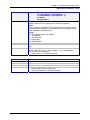
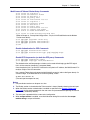
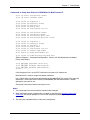
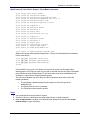
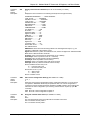
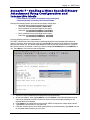
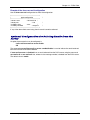
Example of the show recv-mail configuration
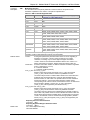
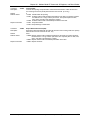
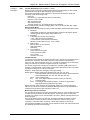
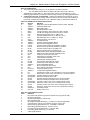
Use the show recv-mail configuration to check the configuration.
+--------------------------------------------------------+
|
pop3 configuration
|
+--------------------------------------------------------+
| server-name
: 192.168.2.10 |
| server-port
: 110
|
| mailbox-name
: mtss
|
| mailbox-password
: mtsspass
|
+------------------------------------------------------- +
If any of the above fields are missing, then the email cannot be retrieved.
Optional Configuration for Deleting Emails from the
Server
An optional parameter that can be configured is:
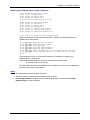
# recv-mail leave-mail-on-server disable
OK
The command recv-mail leave mail on server <enable/disable> is used to indicate that email retrieved
from the POP3 server should be deleted.
If leave mail on server is disabled, then an email retrieved from the POP3 server using the commands
recv-mail mail or recv-mail mail <n>, where n is the message number, is deleted from the POP3 server.
The default value is enable.
Multi-Tech Systems, Inc. MultiConnect Serial-to-Serial Adapter User Guide (S000354A)
154