1
Chapter 4 – Command Line Interface (CLI)
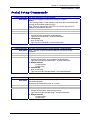
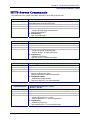
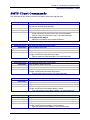
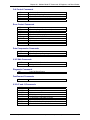
SNTP Client Commands – Setup
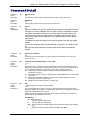
Command Syntax
Description
Default Value
Success
Error
Command Syntax
Description
Default Value
Success
Error
Command Syntax
Description
Default Value
Success
Error
Command Syntax
Description
Default Value
Success
Error
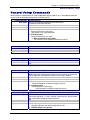
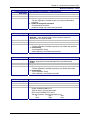
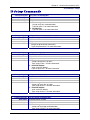
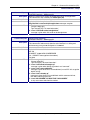
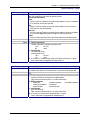
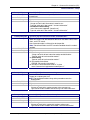
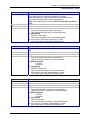
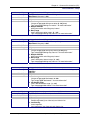
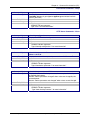
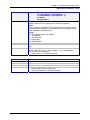
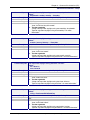
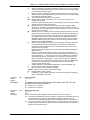
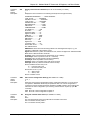
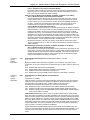
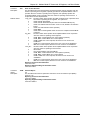
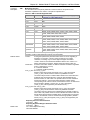
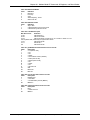
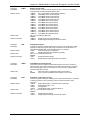
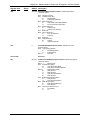
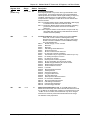
set sntp-client daylight-saving start-weekday <dayofweek>
where
dayofweek = sunday, monday ... Saturday
Sets the start weekday to use during the Day Light Saving Mode.
Sunday
OK
1. Invalid arguments
"error: Invalid start day of the week"
2. Too few arguments
“Usage: set sntp-client daylight-saving start-weekday <dayofweek>
Type set sntp-client daylight-saving start-weekday ? for more
information”
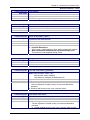
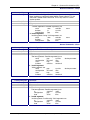
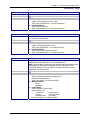
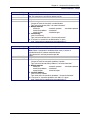
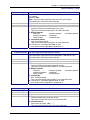
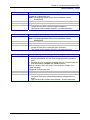
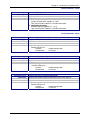
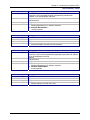
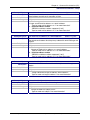
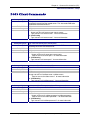
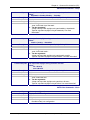
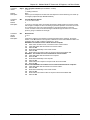
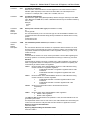
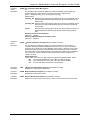
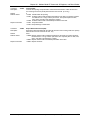
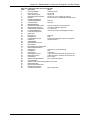
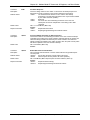
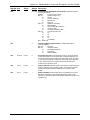
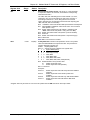
set sntp-client daylight-saving start-month <month>
where
month = january, february .... December
Sets the start month to use during the Day Light Saving Mode.
April
OK
1. Invalid arguments
"error: Invalid start month"
2. Too few arguments
“Usage: set sntp-client daylight-saving start-month <month>
Type set sntp-client daylight-saving start-month ? for more information”
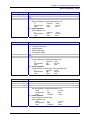
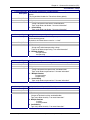
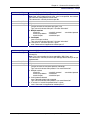
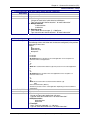
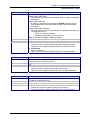
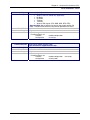
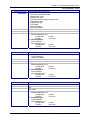
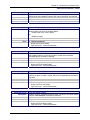
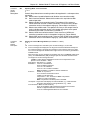
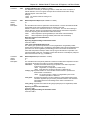
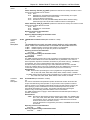
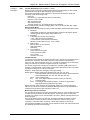
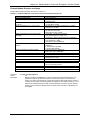
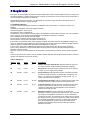
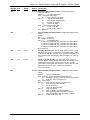
set sntp-client daylight-saving start-time <hh:mm>
where
hh = 00 to 23
mm = 00 to 59
Sets the start time to use during the Day Light Saving Mode.
02:00
OK
1. Invalid arguments
"error: Invalid start time"
2. Too few arguments
“Usage: set sntp-client daylight-saving start-time <hh:mm>
Type set sntp-client daylight-saving start-time ? for more information”
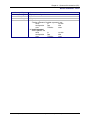
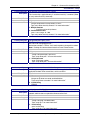
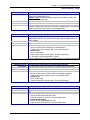
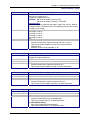
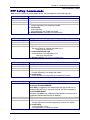
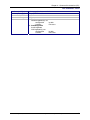
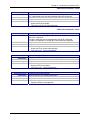
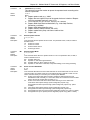
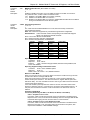
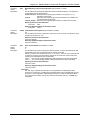
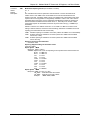
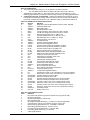
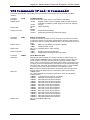
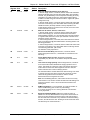
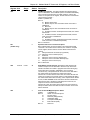
set sntp-client daylight-saving end-ordinal <string>
where
string = first/second/third/forth/last
Sets the end ordinal to use during the Day Light Saving Mode.
Last
OK
1. Invalid arguments
"error: Invalid end ordinal"
2. Too few arguments
“Usage: set sntp-client daylight-saving end-ordinal <string>
Type set sntp-client daylight-saving end-ordinal ? for more information”
Multi-Tech Systems, Inc. MultiConnect Serial-to-Serial Adapter User Guide (S000354A)
59