1
CRS-100 1:1 Redundancy Switch
Operation
6.1.2
Revision 2
MN/CRS100.IOM
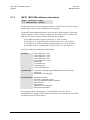
(INFO) MISC (Miscellaneous information)
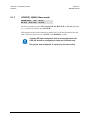
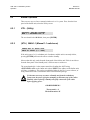
MISC: IF-LOOP 50 OHMS
1:1 LINK=ACTIVE ONLINE
On the bottom line, the screen should show that the 1:1 link is active. If it does not, then
check that the cable is correctly installed before continuing.
Comtech EF Data recommends that the User decide upon which condition is desired to
initiate a switchover, and to correctly configure the two switches on the left side of the
CRS-100. The User can choose from the following four conditions:
1) Unit faults only (both switches in the Down , or ‘OFF’ position).
2) Unit faults or Tx Traffic faults (the left switch in the Up, or ‘ON’ position)
3) Unit faults or Rx Traffic faults (the right switch in the Up, or ‘ON’ position)
4) Unit faults or Rx or Tx faults (both switches in the Up or ‘ON’ position)
All of the possible fault conditions are listed below:
Unit faults:
Power supply fault, 5 volts
Power supply fault , 12 volts
Power supply fault, -5 volts
Power supply fault, 18 volts
Power supply fault, -12 volts
RAM load fail
Tx synthesiser lock
Rx synthesiser lock
Power cal Checksum error
Tx Traffic faults
No Clock from terrestrial interface (masked when on Internal Clock)
Tx FIFO slip
AIS detected on incoming data *
Rx Traffic status:
Demodulator unlocked
AGC Alarm - signal level too high *
Frame sync lost (Reed-Solomon or EDMAC)
Buffer Underflow *
Buffer Overflow *
AIS detected on incoming data *
Eb/No threshold exceeded *
Those alarms marked with an asterix (*) can be masked by the User. This is
accomplished by selecting CONFIG from the main menu of the Online unit, after which
the following menu will be displayed:
6–2
MN/CRS100.IOM