1
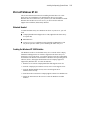
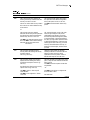
POST Error Messages
Table F-1
POST Error Messages
1776
continued
Meaning
Recommended Action
Slot x Drive Array - SCSI Bus Termination
Error – Internal and external drives cannot
both be attached to the same SCSI port.
The internal and external connectors of the
specified SCSI port(s) are both attached to
drives. The SCSI bus is not properly terminated
when internal and external drives are attached
concurrently to the same SCSI bus. The
indicated SCSI bus is disabled until this problem
is resolved.
SCSI port (y): Check cables(RESUME = F1
KEY)
(RESUME = F1 KEY)
Turn off the server power and check the cabling
to the specified SCSI port
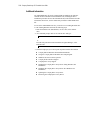
1777
Slot x Drive Array - ProLiant Drive Storage
Enclosure Problem Detected (followed by one
or more of the following):
SCSI Port (y): Cooling Fan Malfunction
Detected
SCSI Port (y): Overheated Condition
Detected
SCSI Port (y): Side-Panel must be Closed to
Prevent Overheating
SCSI Port (y): Redundant Power Supply
Malfunction Detected
SCSI Port (y): Wide SCSI Transfer Failed
SCSI Port (y): Interrupt Signal Inoperative
Check cooling fan operation by placing hand
over fan. Check internal plenum cooling fan in
tower servers or storage systems. If fan is not
operating, check for obstructions and check all
internal connectors. Replace unit side panel if
removed.
If the ProLiant Storage System power LED is
amber instead of green, this indicates a
redundant power supply failure.
Check SCSI cables. If the message indicates to
check SCSI cables, please verify your cabling
against the diagrams in the Smart Array 431
Controller User Guide. If the routing is correct,
replace cables on the specified port until the
POST message is eliminated.
(RESUME = F1 KEY)
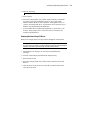
1778
Slot x Drive Array resuming Automatic Data
Recovery process.
No action required. This message appears
whenever a controller reset or power cycle
occurs while Automatic Data Recovery is in
progress.
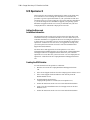
1779
Slot x Drive Array - Replacement drive(s)
detected OR previously failed drive(s) now
appear to be operational:
Port (y): SCSI ID (x): Restore data from
backup if replacement drive x has been
installed.
If this message appears and drive x (identified
by its SCSI ID) has not been replaced, this
indicates an intermittent drive failure. This
message also appears once immediately
following drive replacement before data is
restored from backup.
continued
G-3