1
Chapter 5: Configuring D-Command
Starting Up and Shutting Down the
System
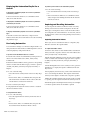
Your D-Command-based system must be started up and shut
down in a specific order.
Start your D-Command-based system in this order:
Software Configuration
All D-Command software is included when Pro Tools software
is installed. The Pro Tools software installer places the D-Command Personality folder on the system drive.
Refer to the Getting Started Guide that came with your system
for instructions on installing or updating Pro Tools software.
1 Turn on external hard drives first. Wait 10 to 15 seconds for
them to come up to speed.
2 Turn on the D-Command units.
3 If you plan to work with MIDI equipment, turn on MIDI in-
terfaces and other MIDI devices.
4 Turn on all Pro Tools audio interfaces.
Updating System Firmware
Each release of Pro Tools software includes the most current
D-Command firmware. When you declare a D-Command unit
in the Pro Tools Peripherals dialog, Pro Tools compares the
firmware of all connected units to the version available in
Pro Tools software, and prompts you if an update is available.
5 Turn on the computer.
7 Turn on monitor amplifiers or self-powered speakers.
If you are prompted to update firmware, follow the on-screen
instructions to load the latest firmware to each D-Command
unit.
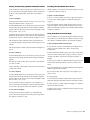
Shut down your D-Command-based system in this order:
Declaring D-Command Units in Pro Tools
6 Turn on the XMON interface.
1 Turn off monitor amplifiers or self-powered speakers.
2 Turn off the XMON interface.
3 Turn off all Pro Tools audio interfaces.
4 Shut down the computer.
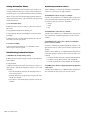
Communication between D-Command and Pro Tools is configured from Pro Tools.
To declare D-Command units in Pro Tools:
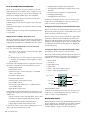
1 Choose Setups > Peripherals, and click Ethernet Controllers.
5 If using MIDI equipment, turn off MIDI interfaces or con-
trollers.
6 Turn off the D-Command units.
7 Turn off external hard drives.
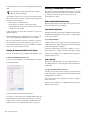
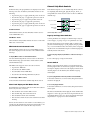
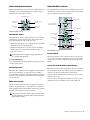
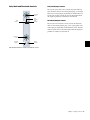
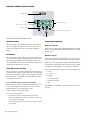
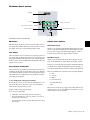
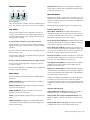
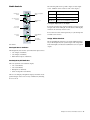
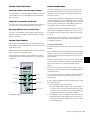
Ethernet Controllers display in the Peripherals dialog
2 Select Enable. Pro Tools scans the Ethernet connection for
any Ethernet controllers connected to the system.
Chapter 5: Configuring D-Command 25












































![D-Control Guide v7.3 - akmedia.[bleep]digidesign.](http://vs1.manualzilla.com/store/data/006638518_3-22bc31a56bb7c920ddb184f9348826e8-150x150.png)