1
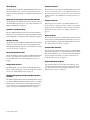
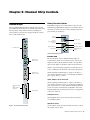
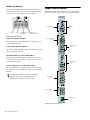
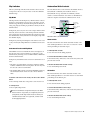
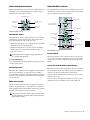
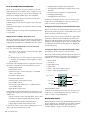
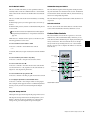
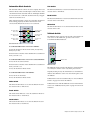
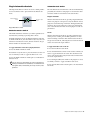
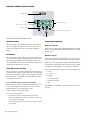
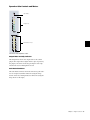
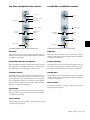
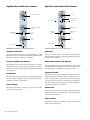
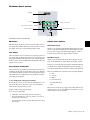
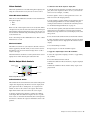
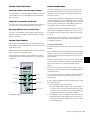
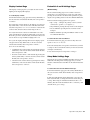
Sends Switch Channel Strip Function Controls When you press the Sends switch, you enter Sends mode, and the send names for the first two sends on that channel strip are displayed on the encoder displays. If there are additional sends on the channel, the channel’s Page Up switch lights. The 10 available sends are displayed in five pairs (A–B, C–D, E–F, G–H, I–J). Each channel strip has a set of Channel Strip Function controls for controlling channel selection and focus, mute, solo, and record enable status, input monitor mode, and automation mode. Input Monitor Mode switch Record Enable switch Send Pan Mode Send Pan mode allows you to adjust send panning and level at the same time. Send level is controlled by the channel fader and Send pan is controlled by the encoder. To enter Send Pan mode: Channel Select switch Solo switch Mute switch 1 Press the Sends switch to display sends on the channel’s encoders. 2 Press the encoder Select switch that corresponds to the send you want to display. To return to the top level display of sends on the channel strip: Press the Sends switch again. To link a Send’s Pan controls to the Main Pan controls of a track: 1 Put the track in Send Pan mode for the Send you want to link. Channel display Automation Mode switch Automation Trim switch Channel Strip Function controls Input Monitor Mode Switch The Input Monitor Mode switch toggles the input monitoring mode for that channel between Auto Input and Input Only mode. The switch lights when the channel is in Input Only mode. 2 Press the B/M/P switch on any of the active encoders on the track to toggle the FMP status of the send. Record Enable Switch The Record Enable switch toggles record enable status for the channel. When the channel is record-enabled and the Pro Tools transport is stopped, the switch flashes. During recording, the switch lights continuously. Record Safe Mode To record safe a track from D-Command, hold Control (Windows) or Command (Mac) and press the track’s Record Enable switch. Chapter 6: Channel Strip Controls 37













































![D-Control Guide v7.3 - akmedia.[bleep]digidesign.](http://vs1.manualzilla.com/store/data/006638518_3-22bc31a56bb7c920ddb184f9348826e8-150x150.png)