1
Open the ‘Setup’ file in Win95 or other Windows versions, select the right
version for your computer and open the file. Double click “Setup” and then
follow the instructions for the installation. After the installation, go to ‘Program’
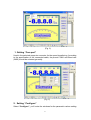
on the Start menu and enter the ‘Data Logger’ software. Then the following
screen will appear:
(Fig. 1)
3. Use of the system
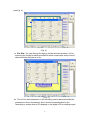
After installing the attached software and connecting the DMM to the
computer with the RS-232 connector, start the computer and the DMM. Then
start the RS-232 function on the Data Logger until the "RS-232" display
appears on the screen. Select the " Data Logger " software after starting the
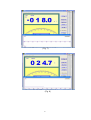
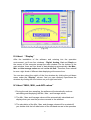
computer. Push the "Begin" button on the right upper side and go into the
measuring status with the connections. Then the "Begin" button has been
changed to "Stop". And later you can also turn it off by pushing the "Stop"
button.
If the operation is abnormal, please check the cable connection and refer to
the description at "Option".
II. About “Option”
In the pulling box menu under the “option” item, you can finish the following
selections:
2