1
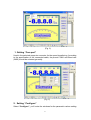
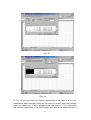
(see Fig. 4)
(Fig. 4)
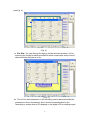
a. File Size: You can change the figures on the selected windows. It’s for
selecting the length for each recorded file which means how many lines of
data should be included in a file.
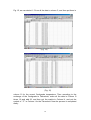
(Fig. 5)
b. The unit for each parameter in the recording can be selected inside the
parametric column accordingly. And it should be standardized in the
recording no matter what unit it displays in the digital LCD or analogue part.
4