1
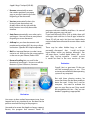
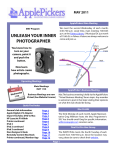
simultaneously and eliminate red eye on your images Easy Web Upload allows you to sort through your photos and decide which ones to send to Facebook or You Tube Photobook Assist helps you create stunning photo books in camera and lets you turn pages as if you were looking at an album. focusing capabilities. All images came out somewhat soft compared to cameras by Nikon and Canon. Some manufacturers use superior lenses made by prime lens manufacturers; Panasonic uses Leica lenses Samsung uses Schneider lenses. The camera performed admirably right out of the box. To turn on the camera, you need to press the tiny rubber button on top of the case. I’m sure persons with big hands will find this difficult. Fujifilm only includes a 2-ft. micro USB cable to connect to your PC/Mac. It uses an unusually small port that would make it hard to find at your local store. Most of us need 3-6 feet in order to give some slack to the cable. Another basic problem is that the large 2.7” LCD screen reduces the button sizes on the rear of the camera. This could be a real problem for those with large hands and fingers. Mac Support Fujifilm has decided to go cheap by not offering any internal memory, and prompting the user to use memory cards. Most cameras in this price range offer a minimum of internal memory just to get you started, but not Fujifilm. This Fujifilm camera technically does not have drivers that work with Macs. However, it seemed to work well with iPhoto and instantly downloaded its photos Another drawback is Fujifilm’s omission of a viewing without installing the included CD software. lens due to its small size. Yes, the camera has a nice 2.7-inch LCD, but with light changing, it would be nice If you feel you need support, Fujifilm includes their to occasionally look through the viewfinder as well. I FinePix CD software program to move images from realize that Fujifilm like other camera manufacturers the camera directly into your Mac. can save money by eliminating this feature. Battery Options The Fujifilm JX350 uses a new proprietary battery that is extremely thin to fit into this extremely thin camera. It is a Li-ion (NP-45A) which measures 1-1/2” x 1” x ¼”! Don’t plan on finding this battery at your local store. You can find it online between $8-40 depending on whether it is a Fujifilm or generic. Evaluation Manuals Although the features in this camera rivaled the To cut costs, Fujifilm has provided an 8-page User competition, I was disappointed with the JX350’s Guide in English, Spanish Continued Page 12 Page 4