1
Chapter 14
OptiCAN Networking
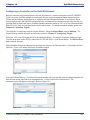
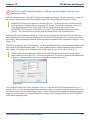
Figure 14-9
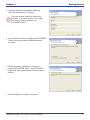
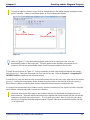
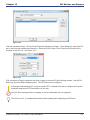
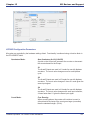
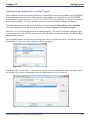
The Edit Address / Register dialog box will open. See Figure 14-10. Using the drop down menu, select
CAN_(OptiCAN). Fill in the Node ID with the node ID number of the device you wish to broadcast specifically to.
Fill in the Register Number that will be broadcast to on the specific node. The register number must be a
user-defined register (0-127).
Using the Broadcast drop down menu, select a broadcast trigger. The choices are: None, Specified Interval, Change of State and Specified Interval and Change of State. This register will be broadcast when this
condition is met. Click ok to close the dialog and click ok to close the Add / Edit Variable dialog.
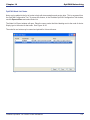
Figure 14-10
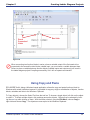
As the register type is selected and node ID and register is entered, the Address / Register displayed
will be updated immediately. The CAN_ and the register number is automatically entered.
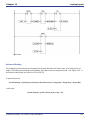
When this ladder diagram project is running, value of the variable OilPSI will be targeted specifically to node
5 at register 25. The interval will the same as Broadcast Rate that was configured in the Project Settings.
Divelbiss Corporation - EZ LADDER Toolkit User Manual
109